FinTech · Enterprise
Private equity portfolio platform
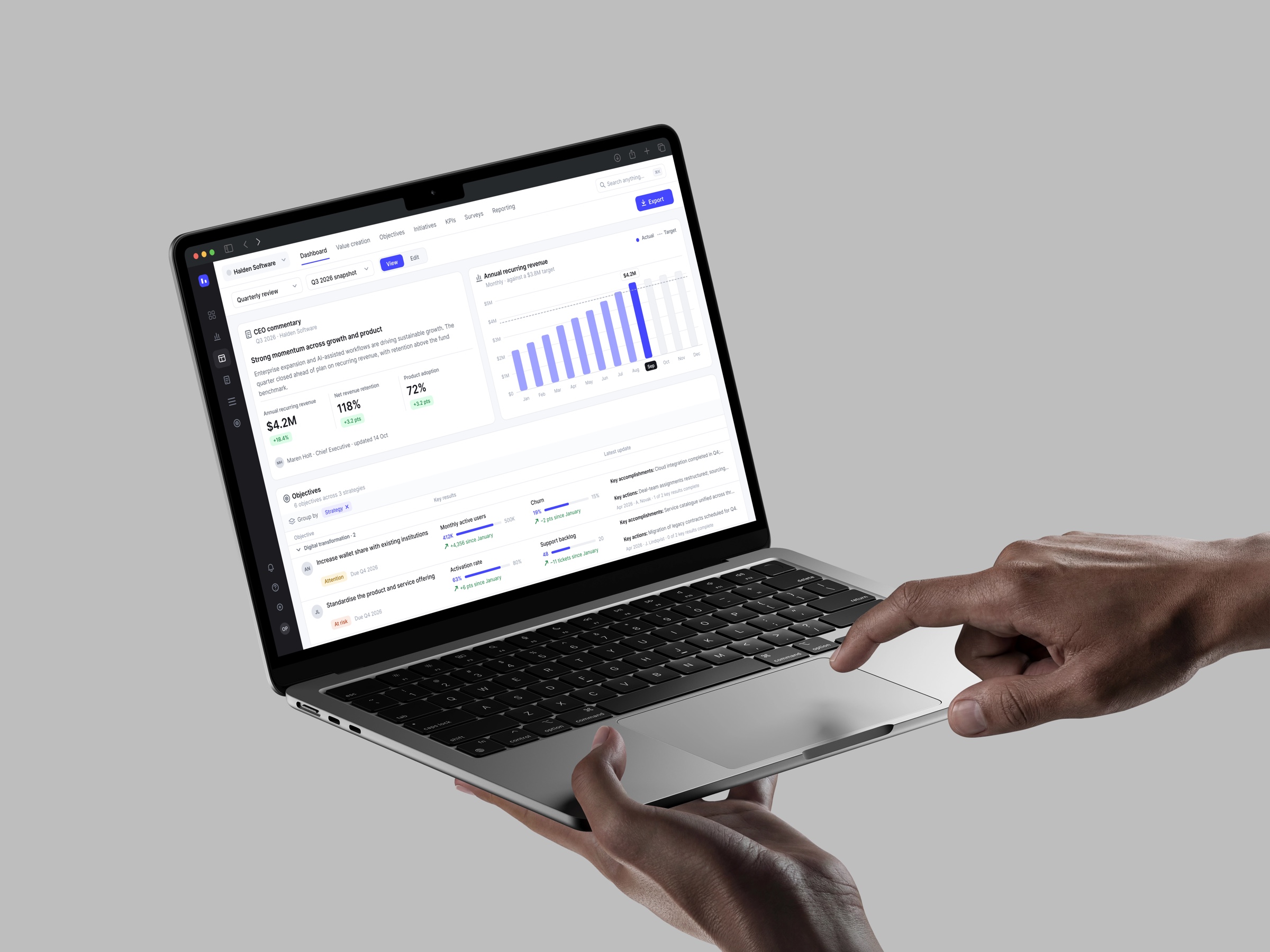
A live, award-winning value-creation platform for PE firms. My part: the dashboard composer, with widgets on a two-width grid, Edit and View modes, and a board that travels into PowerPoint.
- Client's country
- USA
- Platform
- Web
- My role
- UX/UI Designer
- Duration
- 1 year 2 months · 2024–2026
Overview
PE firms plan, execute and measure value creation across portfolio companies, and report it up to boards and sponsors.
Starting point
The product existed. I owned my own tracks inside it, fed by a backlog from Support, Customer Solutions and Customer Experience, and by access to real user accounts.
Scope
The dashboard sat at the centre: a board of widgets built in the app that then has to live on in decks, inboxes and BI tools.
Constraints
Every change was weighed against a live system: what it costs to build and what it might break.
Context
01
Product
A value-creation platform for private equity: initiatives, KPIs, dashboards, fund and company profiles, reporting. Multi-stakeholder and multi-organisation by design: deal teams, operating partners, portfolio-company management, boards.
02
Users
Deal teams, operating partners and portfolio-company management living in dense data, plus contributors outside the firm who only ever see an email.
03
Market
An industry award winner used by several of the world's leading PE firms.
Starting point: dashboards behaved like a blank canvas. A new widget appeared at the size of an input field, every user resized it by hand, and real boards were full of stranded widgets and white space.
Approach
Audit
Walked real user accounts and documented 10 problems with 11 fixes, the top five as quick wins.
Constrain
Replaced free resize with two widths and a minimum height, so non-designers never lay out pixels.
Separate
Split Edit from View before the PowerPoint add-in shipped: one clean state to present and export.
This was constraint design: take freedom away where it was costing users, and keep the product consistent as it grew.
Process
Core functionality
01
Dashboard composer
Problem
A board started empty and grew by hand: tiny widgets, manual resizing, no grid. Building one took patience, and the result rarely lined up.
Hypothesis
If adding a widget always produces a readable block that snaps to one of two widths, people stop laying out and start reporting.
Solution
Create → pick a widget type → edit on a two-width grid → read in View. Each widget opens at full or half width with a minimum height, and headers can be hidden for the whole board.
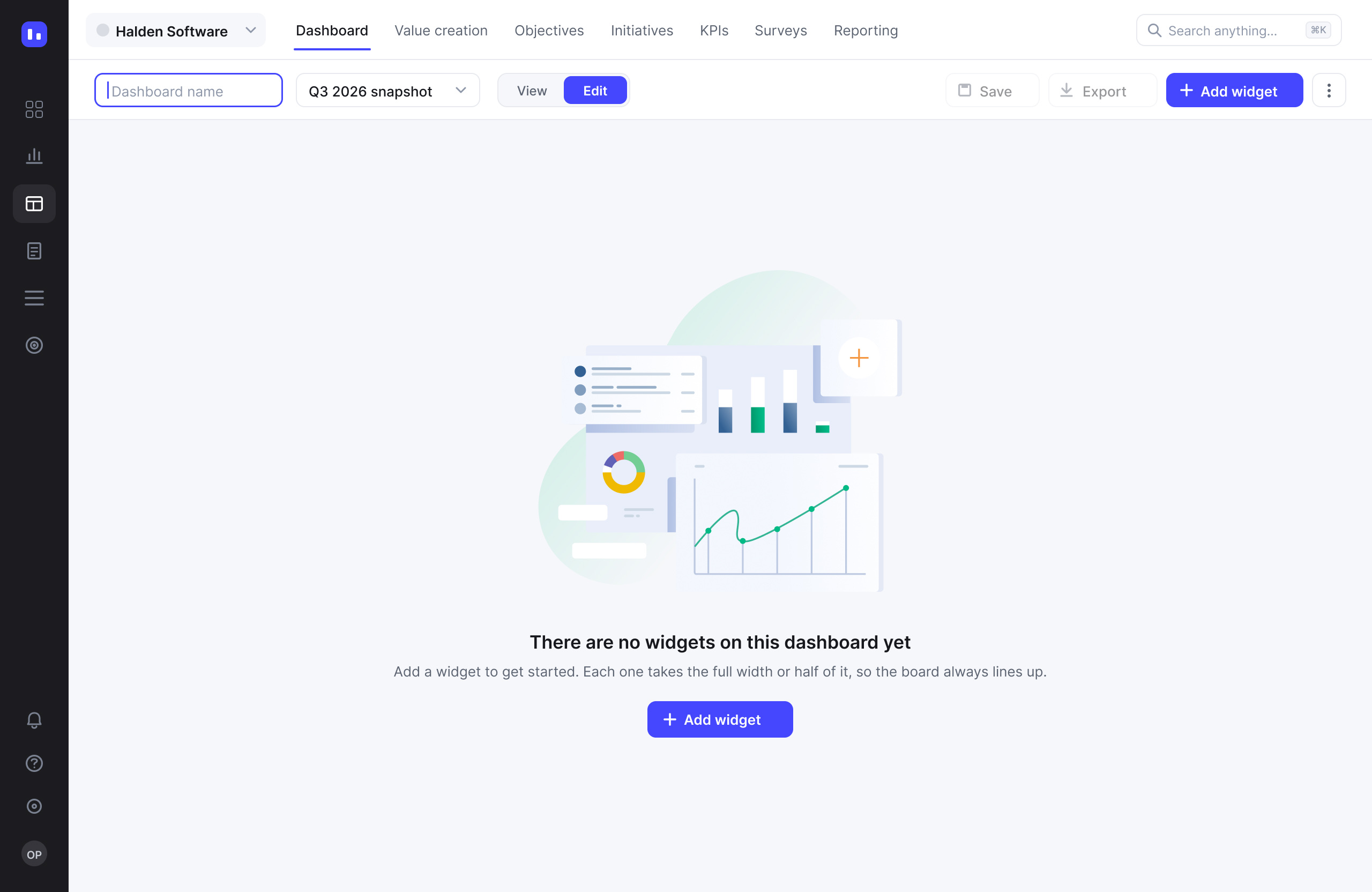

Empty board: name it and add the first widget, with the grid rule is stated right there
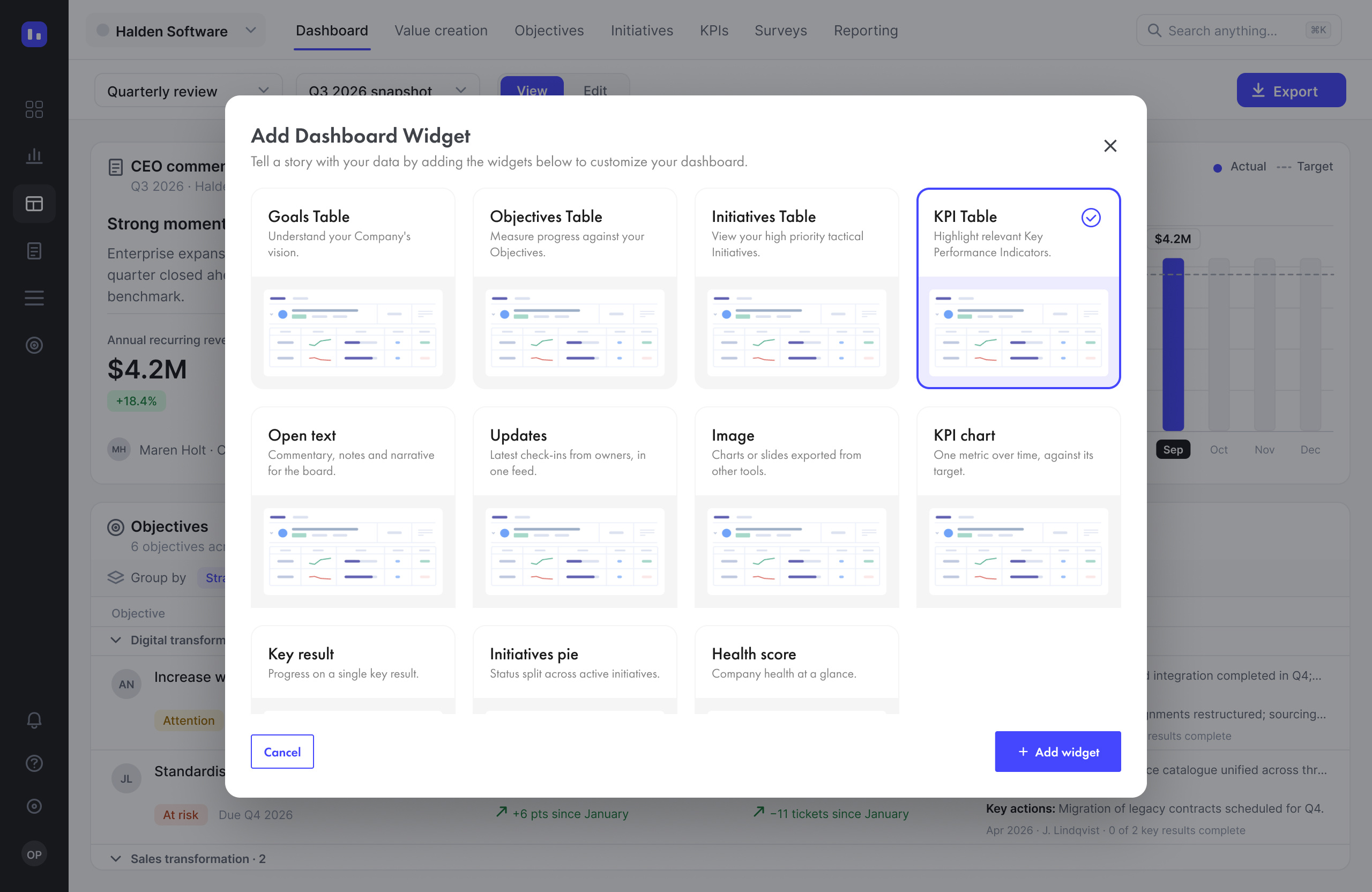
Widget picker: tables, open text, updates, image and KPI charts; the types that already existed, now with rules
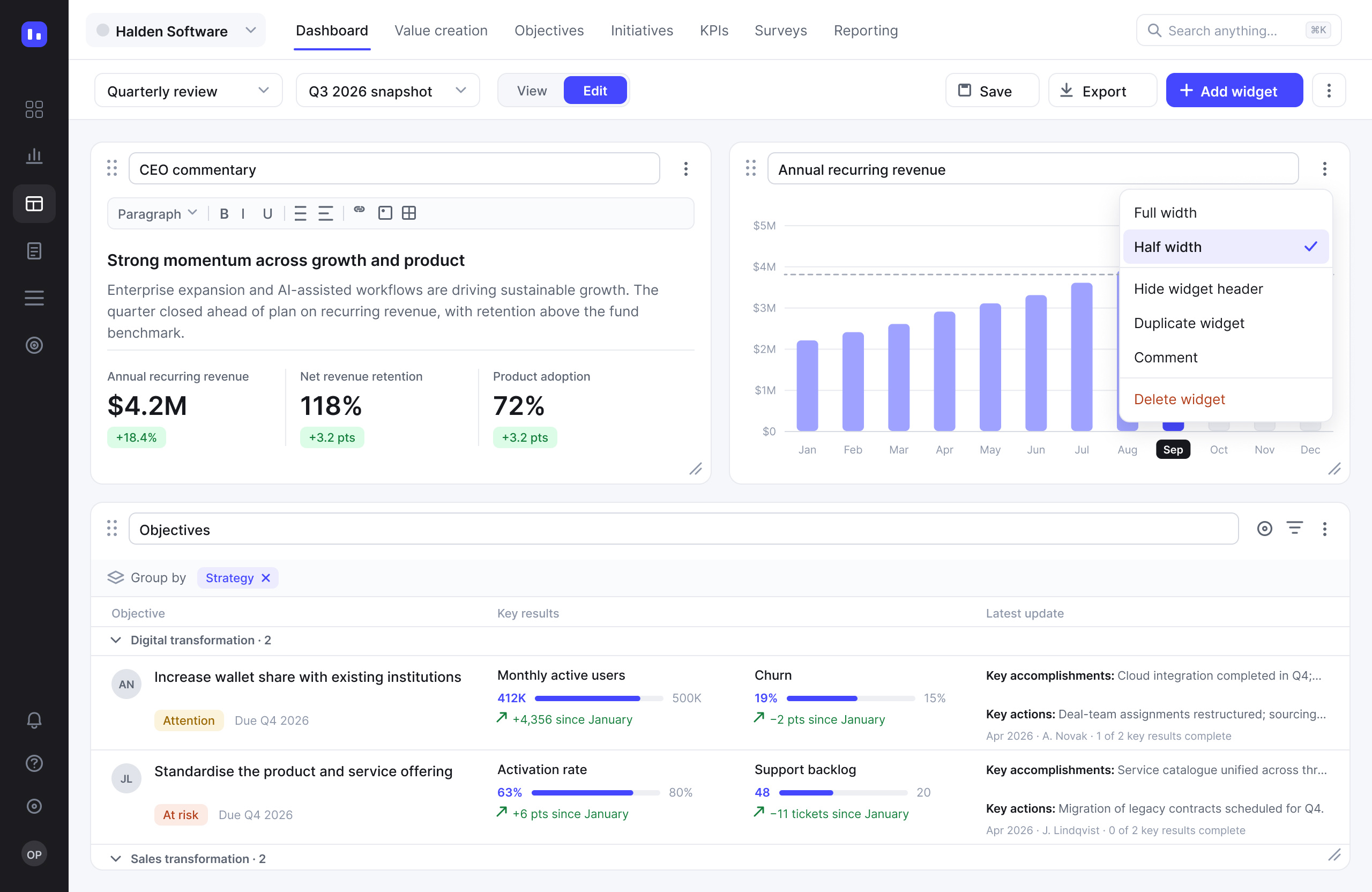
Edit mode: handles, title fields, an editor toolbar, and the widget menu with Full / Half width and Hide header
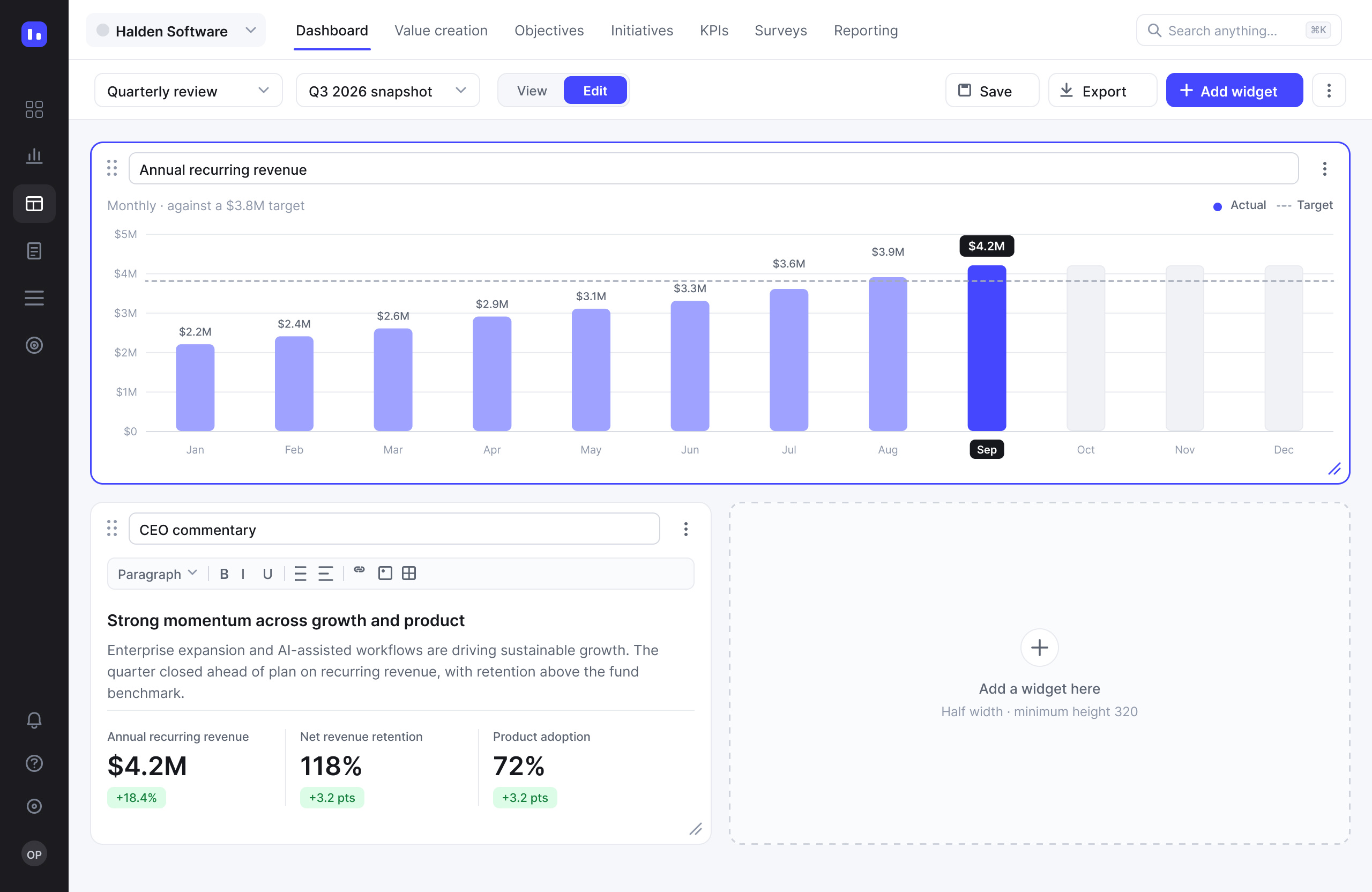
A widget set to full width; the empty half slot shows the only other option
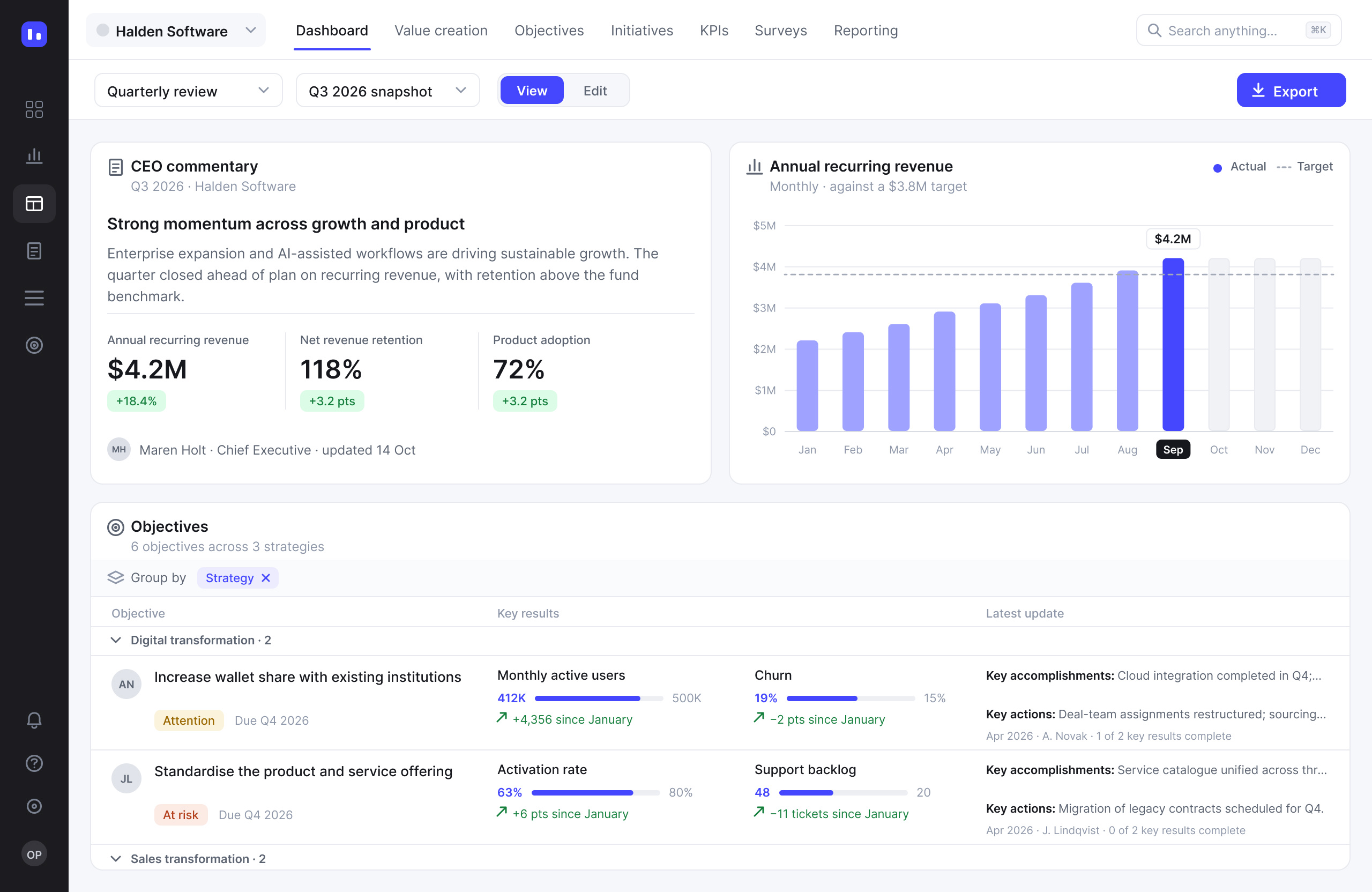
View mode: the same board with every control gone
02
Responsive grid
Problem
Tables, side panels, filters and widgets each behaved differently on smaller viewports and on very wide monitors, because every screen decided its own breakpoints.
Hypothesis
If the board sits on twelve columns that stretch, and each widget class has a fixed set of spans, responsive behaviour can be written once for developers instead of decided screen by screen.
Solution
Twelve columns that fill the width. Three widget classes: tables at full or half, content at half or full, scorecards at half or quarter, each with a minimum height. Above 1920 px only the side gutters grow; on a portrait tablet the grid drops to six columns and halves become full width.
03
Beyond the app
Problem
Boards and sponsors read decks, not web apps. Numbers were retyped into slides and went stale, and Edit mode carried far too much chrome to be shown.
Hypothesis
If View mode is clean enough to present, the add-in can place the live board on a slide and keep it refreshing and filterable there.
Solution
View mode became the export surface. The PowerPoint add-in inserts a connected board, and hidden headers make it read as a report page. An Outlook add-in closes the loop from the other side: contributors without an account submit updates from email, and the data lands in the report.
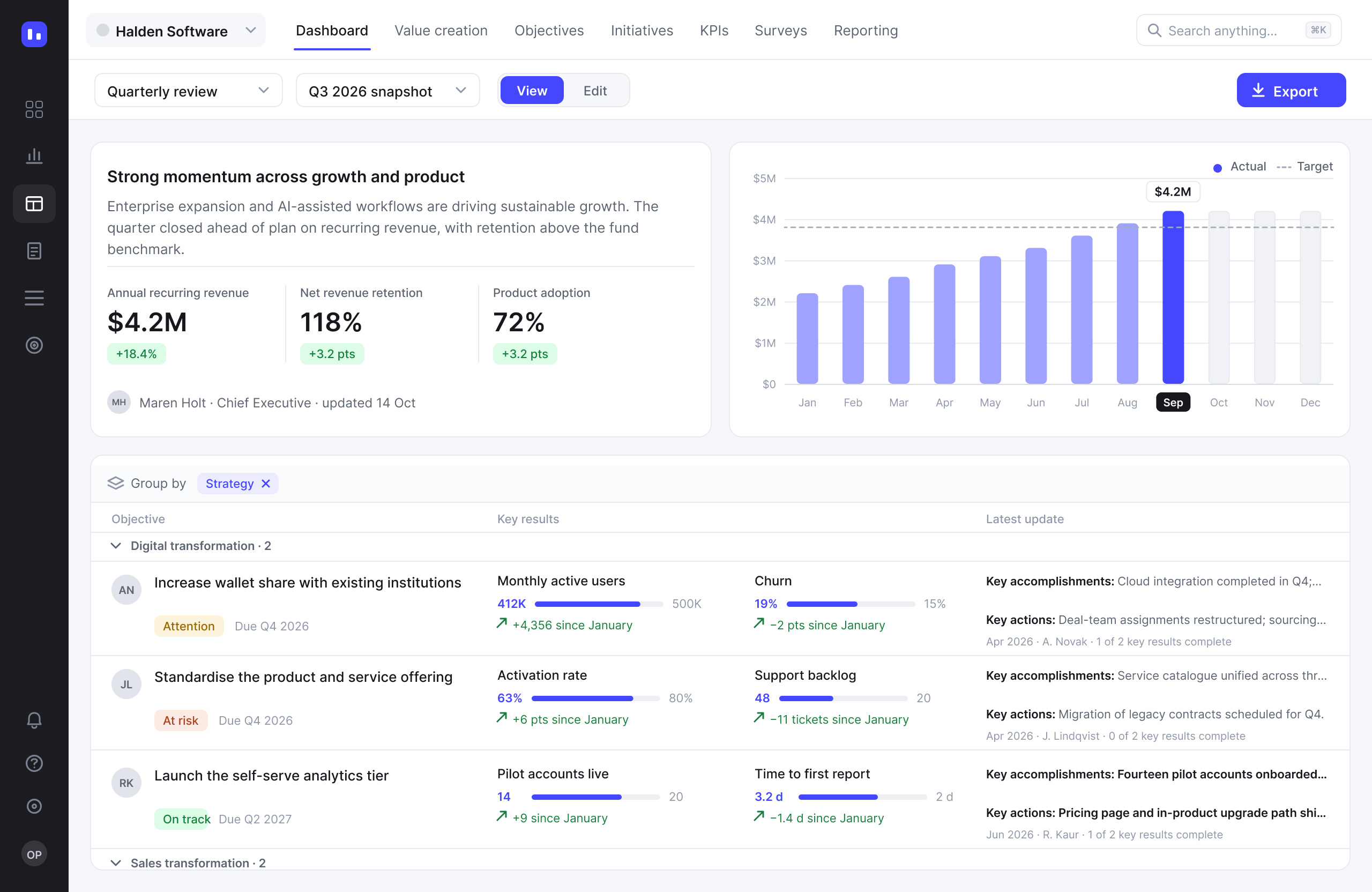
Headers hidden: the board reads as a page of a report
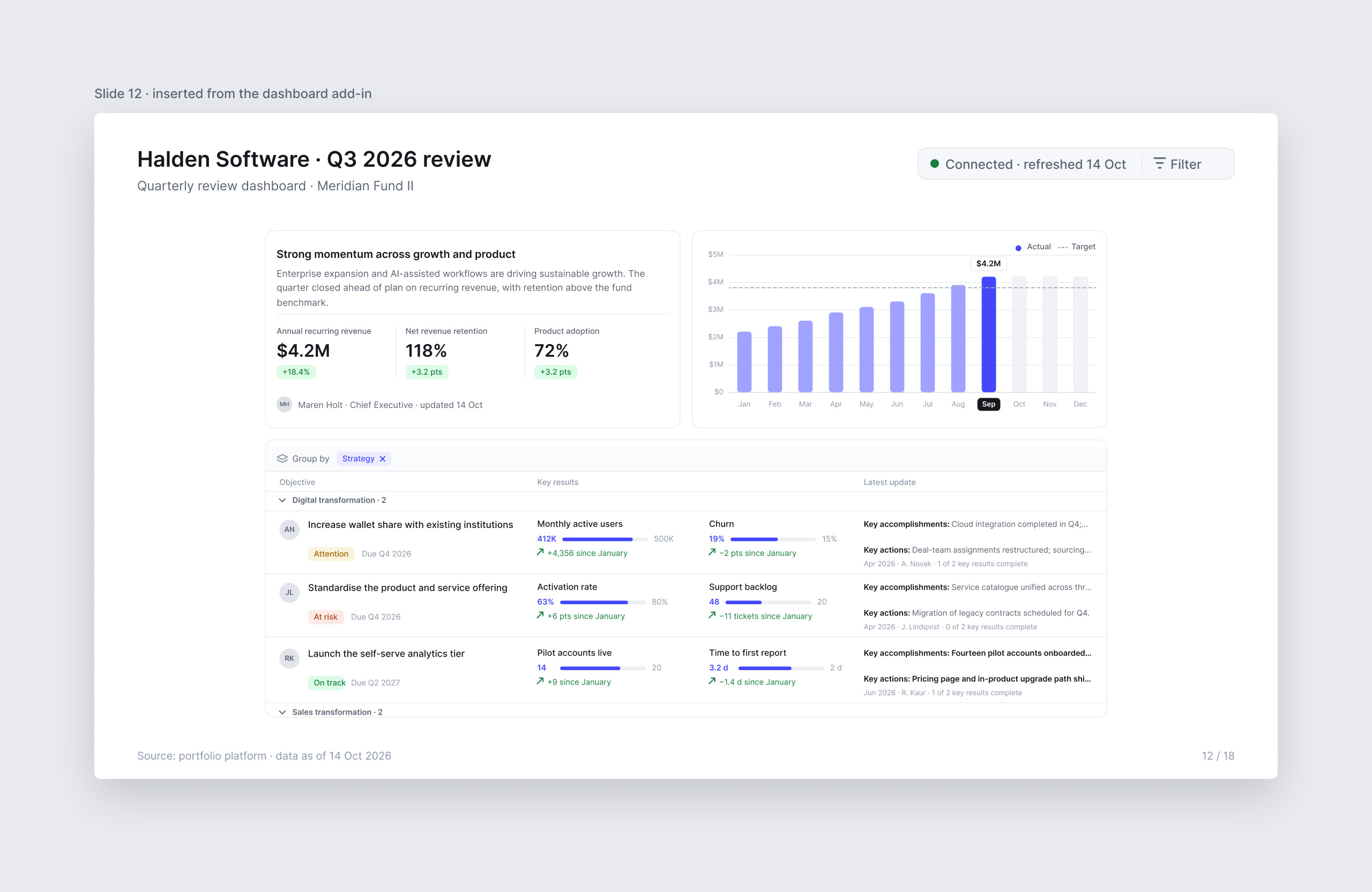
The board on a slide, still connected: refreshed and filterable from inside the deck
Key decisions
01
Two widths instead of free resize
Problem
Dashboards behaved like a canvas. A new widget appeared at input-field size, users dragged it out by hand, and real boards sat in white space with widgets stranded on the left.
Hypothesis
Non-designers should never be asked to do pixel work. Take the freedom away and the boards get better, not worse.
Solution
Every widget takes the full width or half of it, and opens at a minimum height: 500 px for tables, 400 px for content, 274 px for scorecards, which may also take a quarter. More is allowed, less is not.
Proof
Manual resizing went from every widget to none. The rule is written into the empty state, so it is learned the first time a board is built.
02
Edit and View as separate modes
Problem
Drag handles, title fields, editor toolbars and menus, about 25 controls on a three-widget board, sat between the reader and the numbers. And the PowerPoint add-in was about to put that board on a slide.
Hypothesis
If the modes split before the add-in ships, there is one clean state to present and to export. Later would mean retrofitting.
Solution
A View | Edit switch in the board bar. View shows widgets and nothing else; Edit brings the controls back.
Proof
View mode became the surface the PowerPoint add-in exports: the same board, refreshed and filterable inside the deck.
03
Hide widget headers
Problem
Even in View, each widget carried a title row and an icon. That was chrome, not data, and a third of the height on small widgets.
Hypothesis
A board without headers reads as a page of a report, which is exactly what it becomes on a slide.
Solution
One board-level switch strips every widget header; the setting carries into the export.
Proof
Cards get shorter, the table gains a row, and the slide needs no cropping.
Outcome
- Free resize replaced by two widths and a minimum height: manual resizing went from every widget to none
- One responsive rule set: twelve columns, three widget classes, breakpoints at the sidebar, 1920 px and tablet
- Edit and View split before the PowerPoint add-in shipped; View became the export surface
- 10 problems documented from real accounts, 11 fixes, the top five shipped as quick wins
- Four widget types given layout rules: each ships in three states
No client metrics survive from this engagement, so the case counts what can be counted: the audit, the rules, the states. What users felt was simpler: a board that lines up without being laid out.
Next case
Eco city assistant
One app for sustainable city living: recycling scanner, eco map, live air quality. I took it from resident interviews and a CJM workshop to a tested iOS MVP, scoped to the three features people ranked highest.
View case