Wellness & Health · AI
AI skincare & wellness app
A mobile app pairing AI skin analysis with a connected laser device and supplements. I joined the live product as senior designer and own its AI layer (daily insights, explained skin results, wellbeing reports), written as rules the team builds against.
- Client's country
- UK
- Platform
- iOS-first
- My role
- Senior Product Designer
- Duration
- 5 months · 2025–2026
Overview
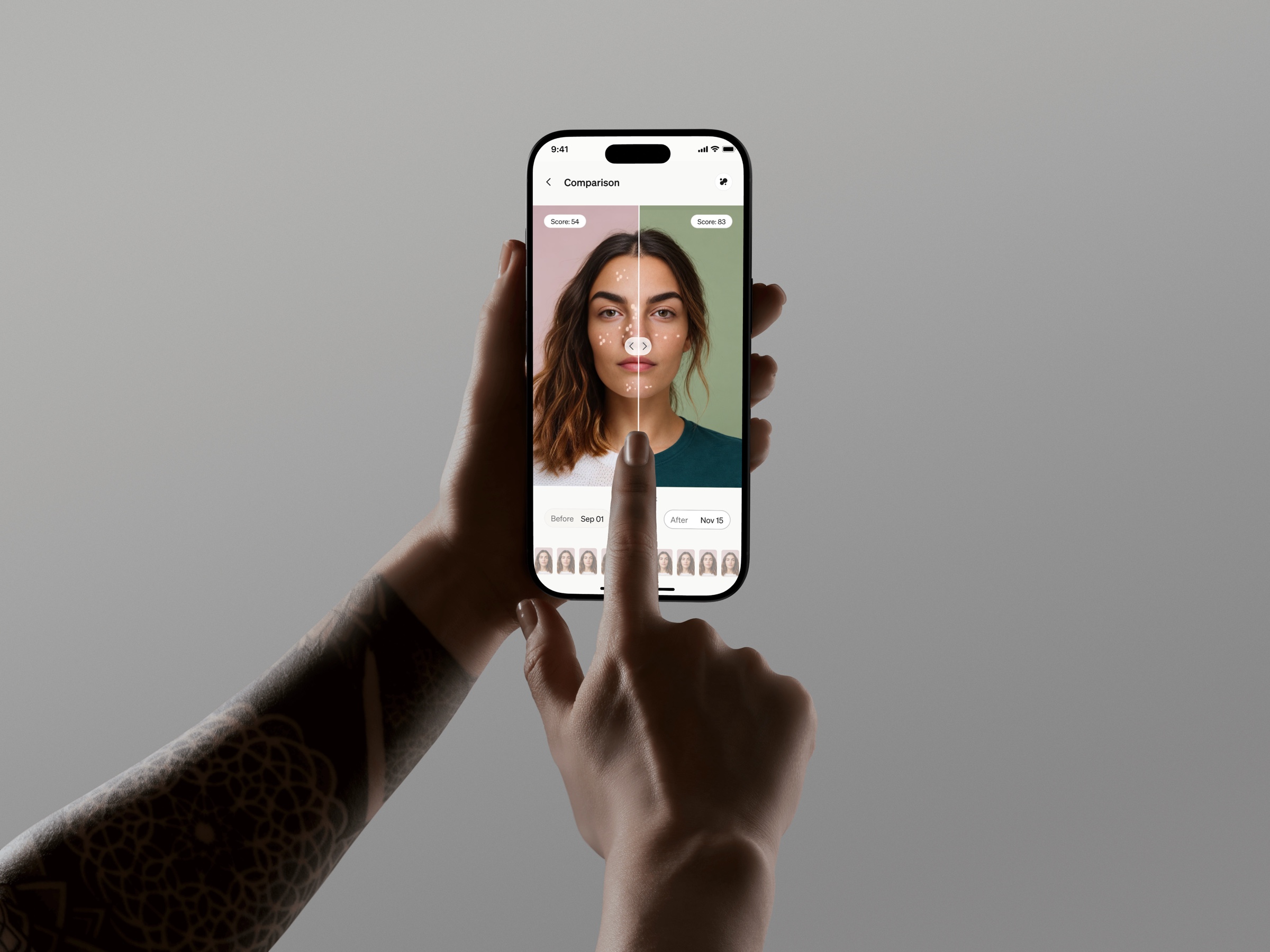
A mobile app pairing AI skin analysis with a connected laser device and supplements.
Starting point
I joined a live product mid-flight, and part of the design already existed.
What I owned
The AI layer (daily insights, explanations of skin results, wellbeing reports), plus Apple Health integration, onboarding and core-screen enhancements.
Team
Senior on the team; mentoring a middle designer along the way.
Context
01
Product
Daily skin routines (laser sessions and supplements), AI skin scans with per-metric scores, personalized recommendations, before/after progress.
02
Users
Owners of the brand's laser device and supplement subscribers: wellness-invested, not tech experts. Guidance must feel supportive, never clinical or alarmist.
Approach
Audit
Reviewed the live app's flows for high-impact, low-dev-cost improvements.
Define the logic
AI behavior written as explicit rules: triggers, priorities, limits.
Prototype
Walkthroughs and hint animations in Lottie and Figma Make.
The AI layer is designed as a rule system, not magic: every insight has a reason, a signal and a limit.
Process
Core functionality
01
Home & routines
Problem
Skincare is made of small daily actions, and without them nothing happens, yet those are exactly what slips.
Hypothesis
If the routine is the app's entry point, the daily actions get ticked off instead of remembered.
Solution
Daily routine tracking: laser sessions and supplements. The app's entry point.
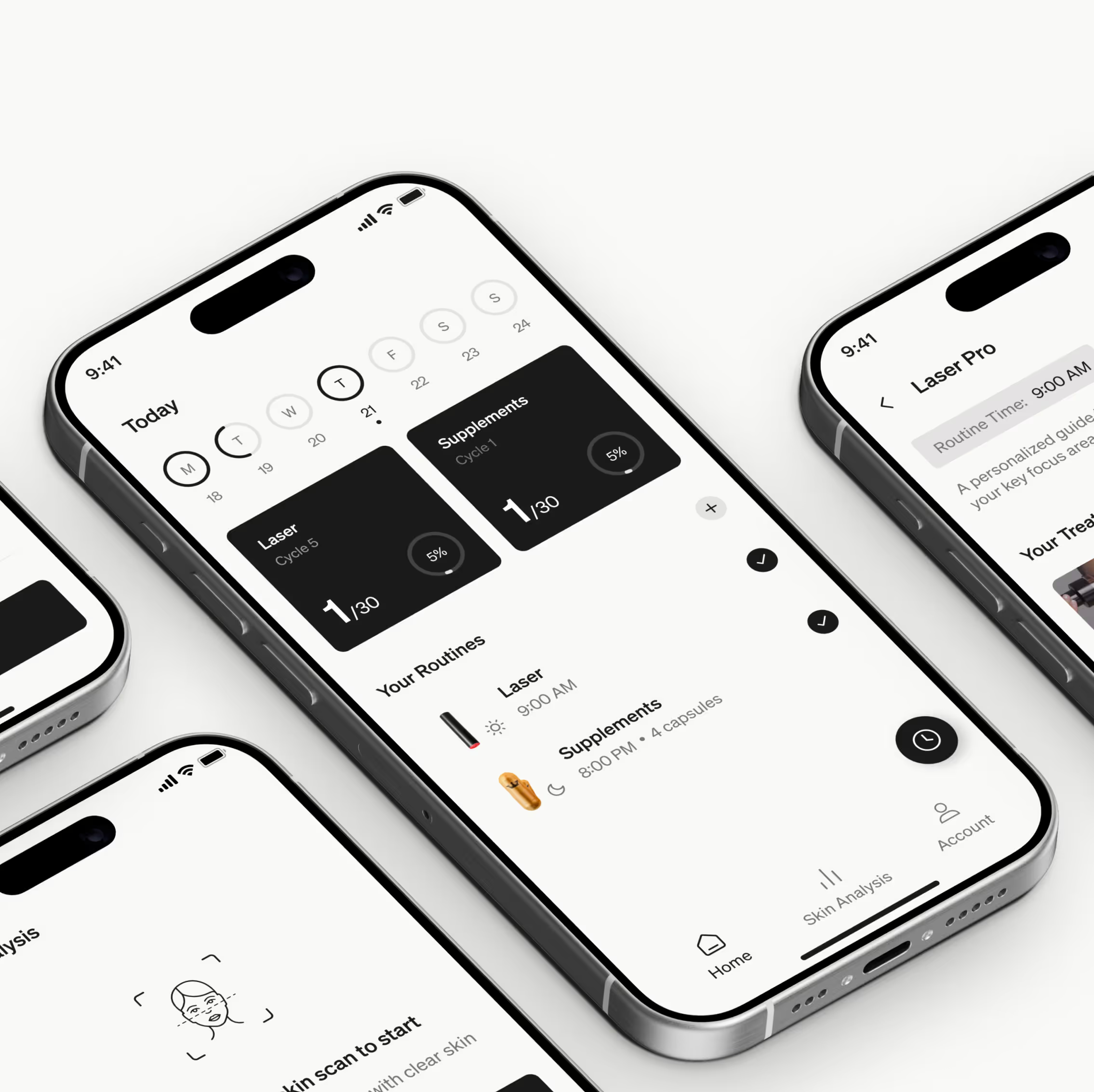

The app's core, enhanced, but not mine.
02
Skin analysis & Trends
Problem
Skin progress was judged by eye, so changes were noticed too late or not at all.
Hypothesis
If a scan scores eight metrics and Trends plots them over time, progress becomes visible.
Solution
An AI photo scan scores 8 skin metrics; Trends shows how they move over time.
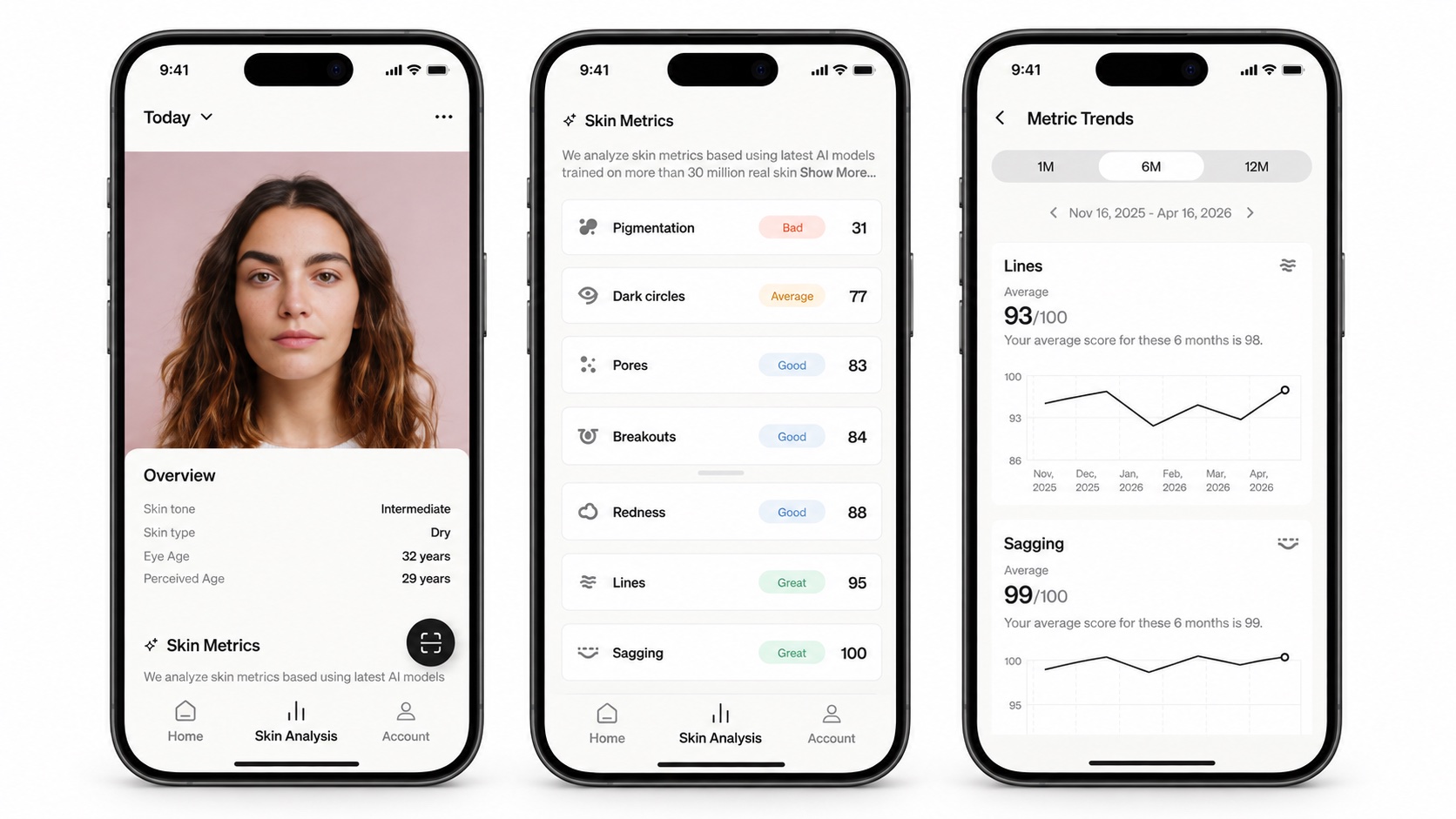
Another designer's work, context only.
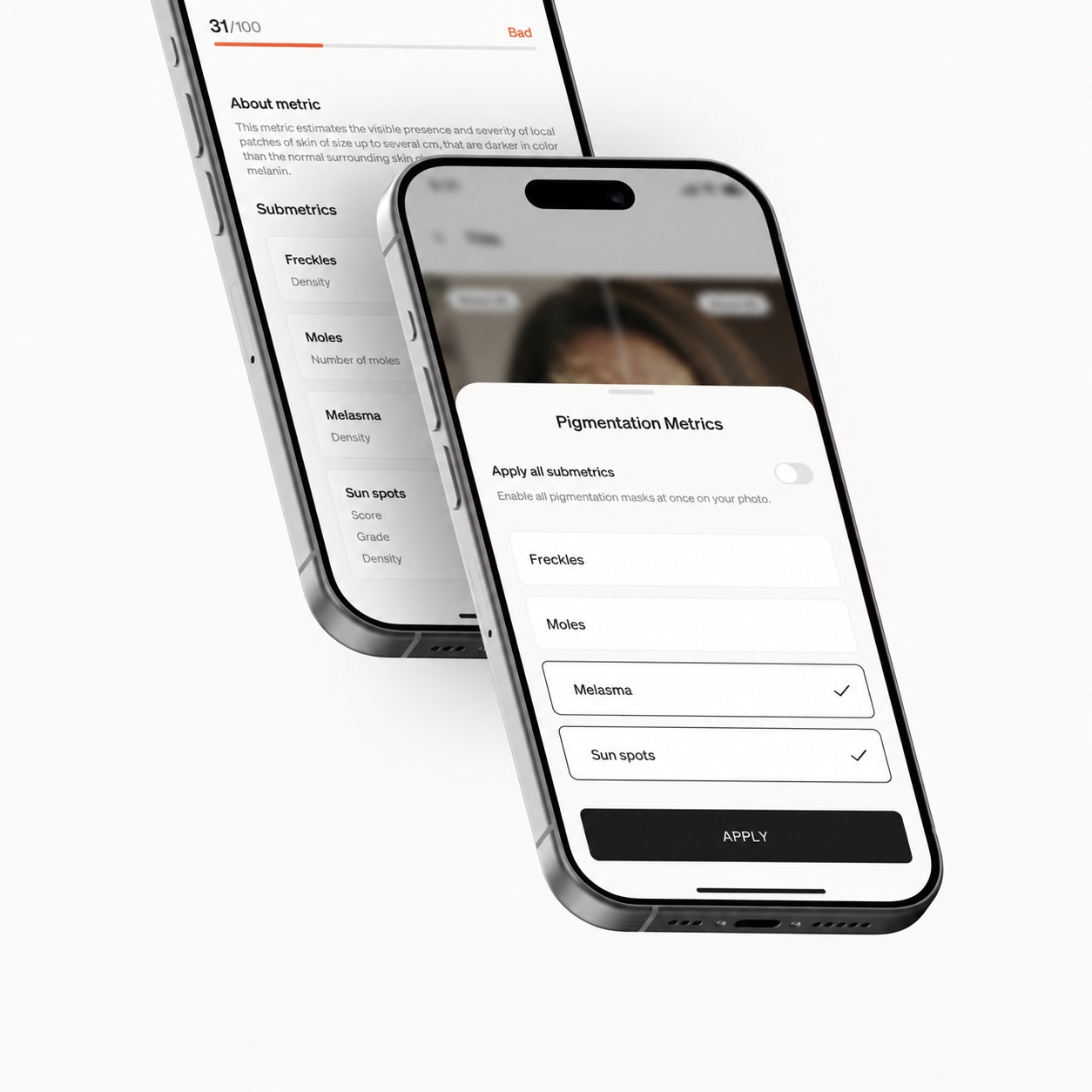
A skin metric with submetrics: the score explained
03
Account
Problem
The device, the subscription and the profile lived in different places, and support got the same questions over and over.
Hypothesis
If the service layer sits in one section, people sort it out themselves.
Solution
Profile, connected device, supplement subscription: the app's service layer.
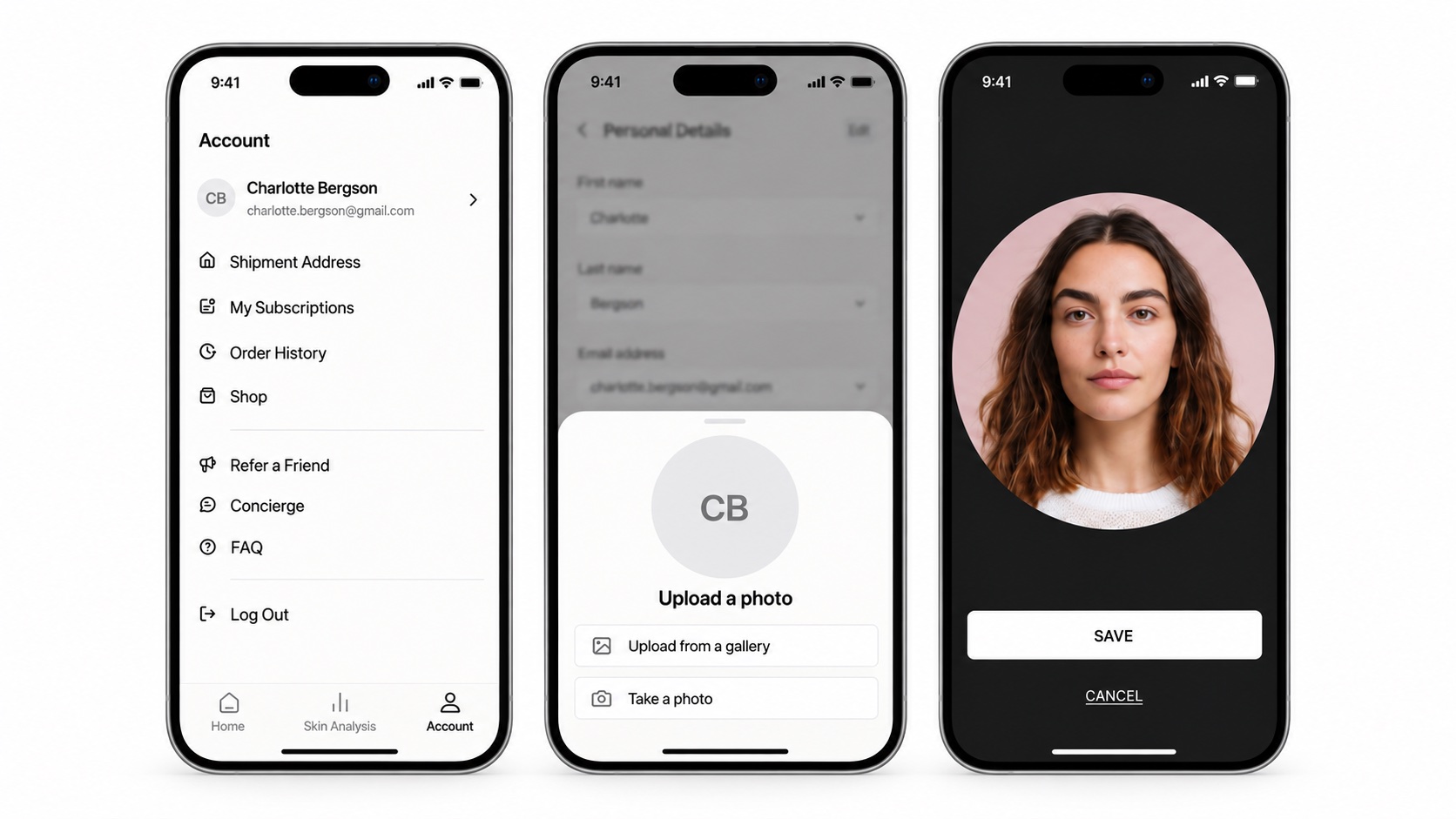
The service layer: device and subscription in one place.
04
Apple Health integration
Problem
Health access is asked for at onboarding, before anyone understands why, and gets declined.
Hypothesis
If it is asked when the data becomes relevant, with what and why spelled out, consent is given knowingly.
Solution
A three-step connection: entry card → what data is used and why → granular data selection. Surfaced when it becomes relevant, not forced at onboarding.
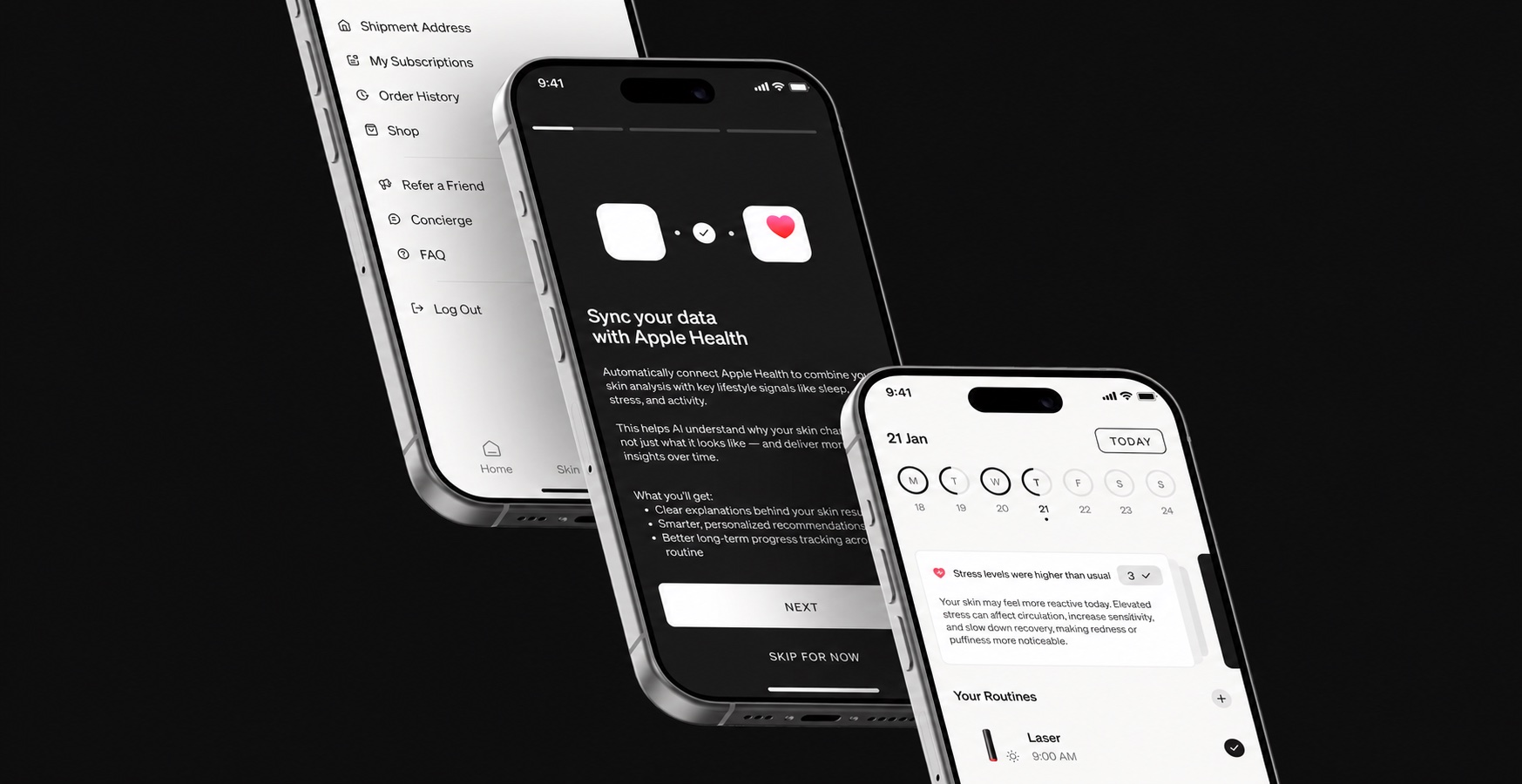
No data, no insights, so it comes first.
05
AI daily insights
Problem
Skin depends on sleep, stress, activity and weather, and none of that connection is visible to a person.
Hypothesis
If today's context is explained from live signals, the advice stops feeling arbitrary.
Solution
Cards on the home screen explain today's skin context from live signals: sleep, stress, activity and recovery, weather and UV.
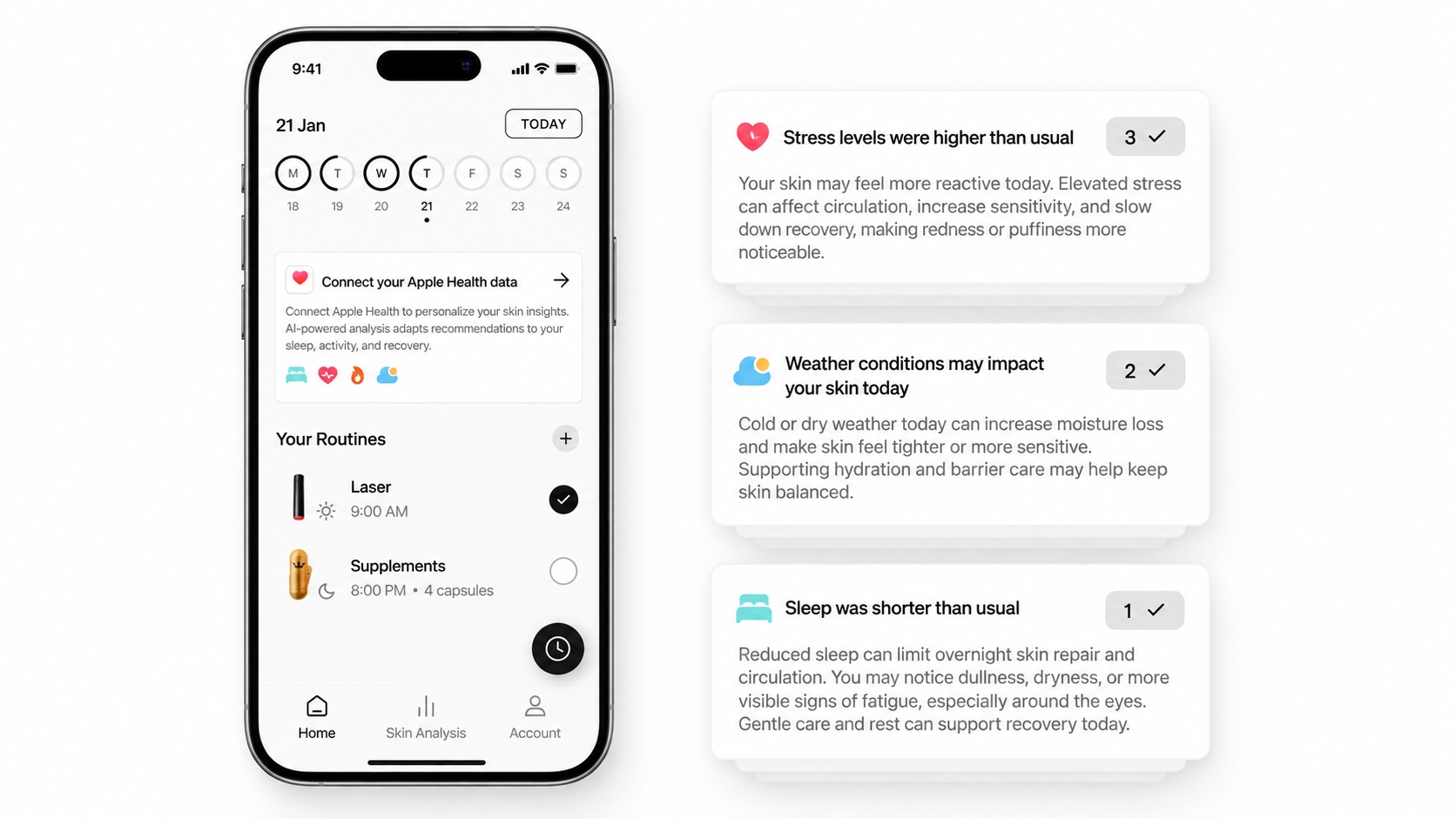
Why → signal → impact → advice.
06
Contributing factors in skin analysis
Problem
A below-baseline score left a person alone with 'why', and sceptical about the score.
Hypothesis
If the likely reason sits next to the result, a score reads as an explanation rather than a verdict.
Solution
For below-baseline scan results an inline “contributing factors” hint explains the likely why: dark circles ← short sleep, redness ← cold, dry weather. One primary factor at a time, never for good results.
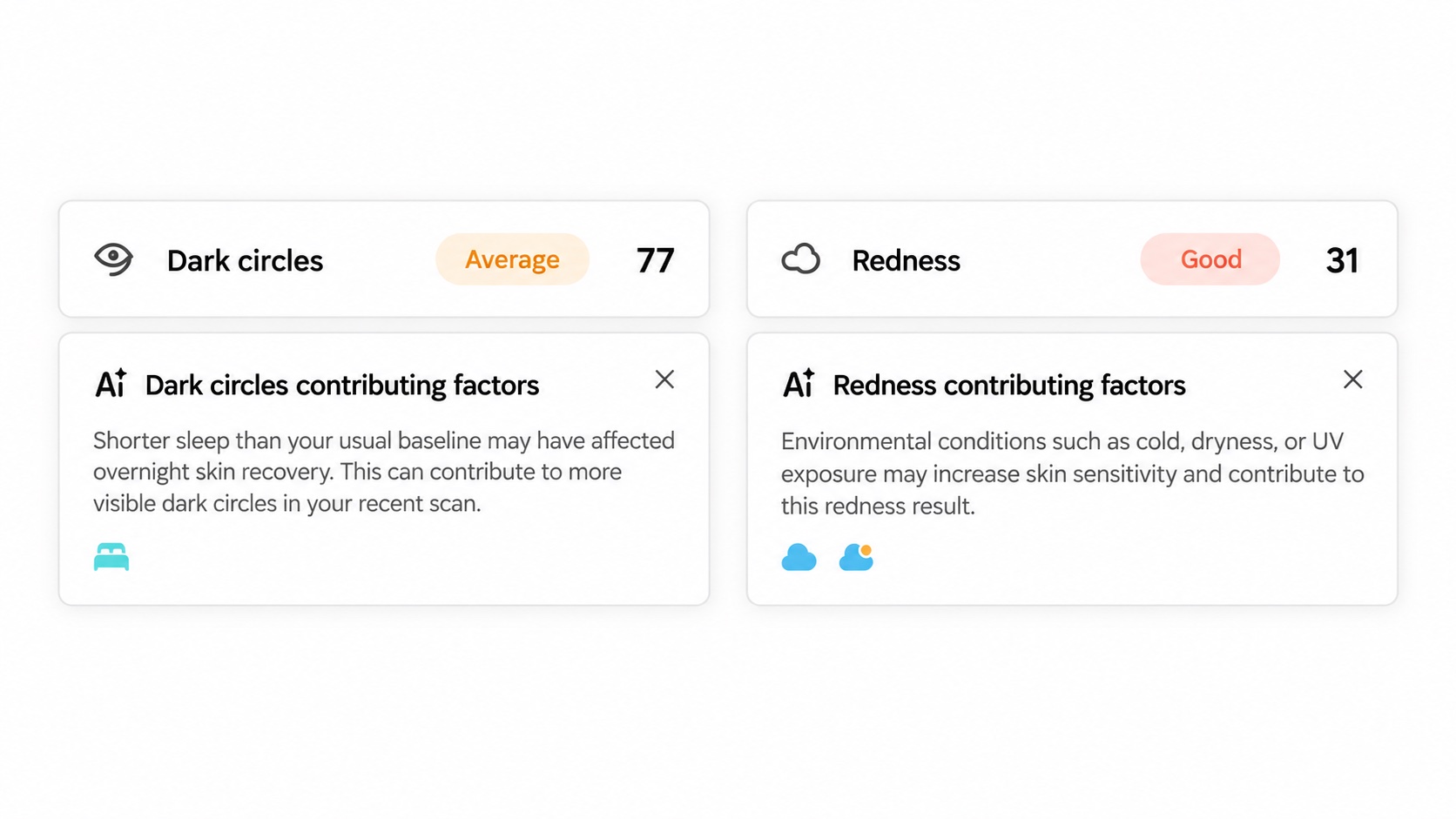
Support, never diagnosis.
07
Wellbeing check-in & comparison report
Problem
Wellbeing is wider than skin, but asking about it daily burns people out on questionnaires.
Hypothesis
If a short check-in across four areas runs every two weeks, the trend is visible without survey fatigue.
Solution
A biweekly quiz across four areas (physical, energy, emotional, social) maps answers to named states and comparison charts with AI summaries. I restructured the entire question system.
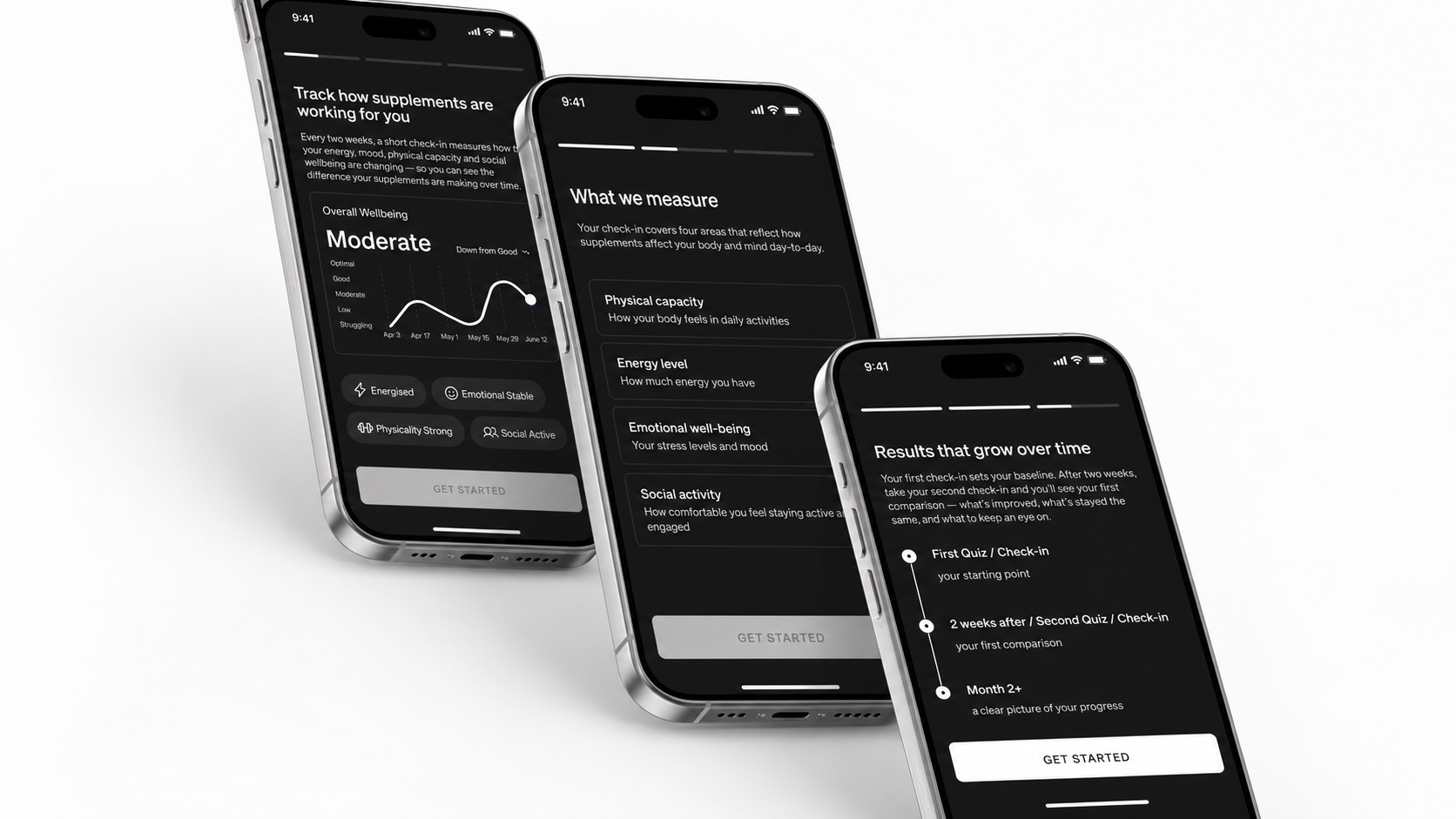
Cycle insights wait for reliable data.
08
Calendar enhancement
Problem
Routines, scans and insights lived as separate lists and never added up to a picture over time.
Hypothesis
If they come together in one calendar, a person sees the link between what they did and what changed.
Solution
The bigger picture: routines, scans and insights across time.
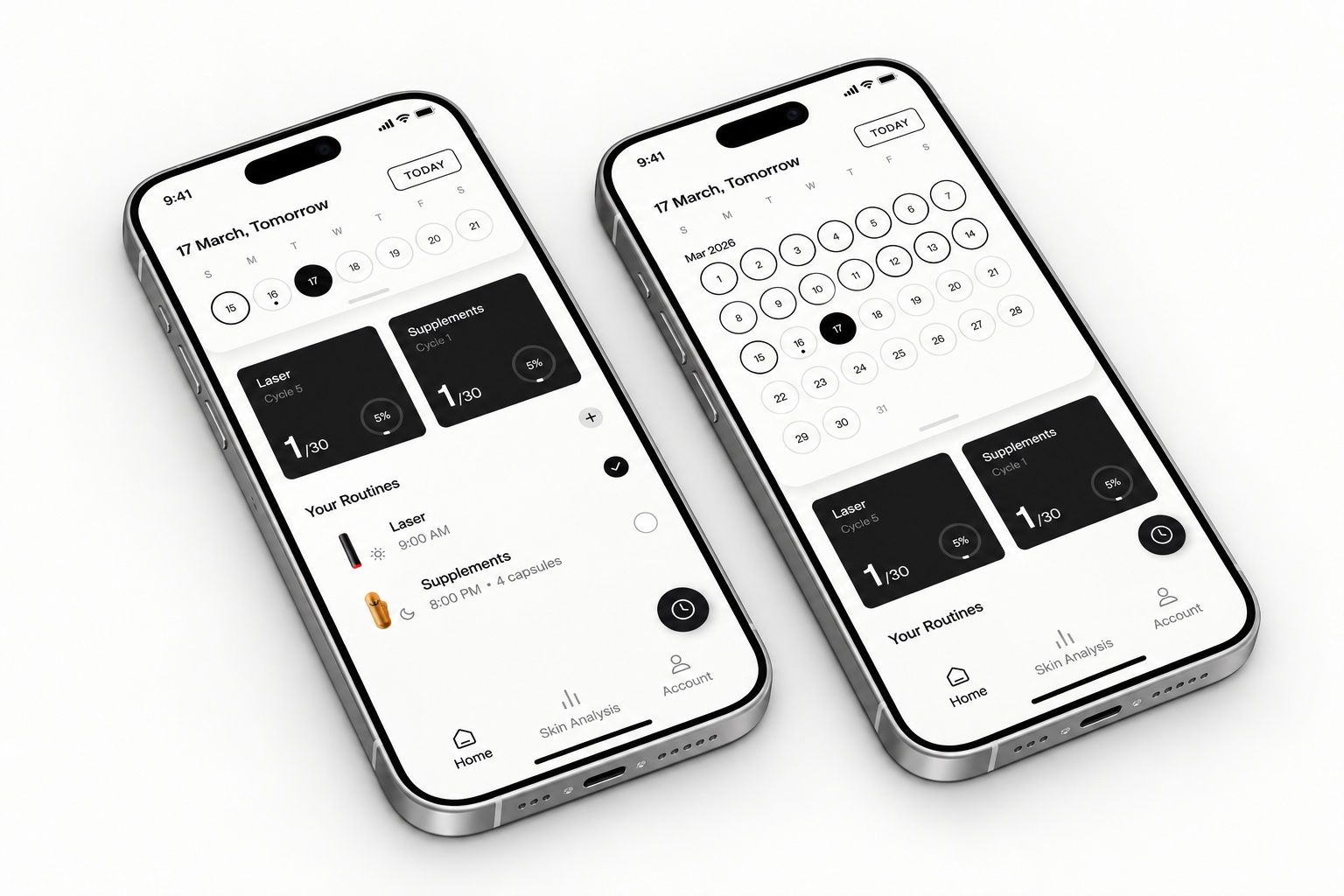
Routines, scans and insights across time.
09
Onboarding & feature walkthrough
Problem
Some features were simply never found, because nothing pointed at them on first open.
Hypothesis
If the key places are highlighted with animated hints, the features get found without a manual.
Solution
First-open highlighting of key features; hint animations built with Lottie and Figma Make improve discoverability.
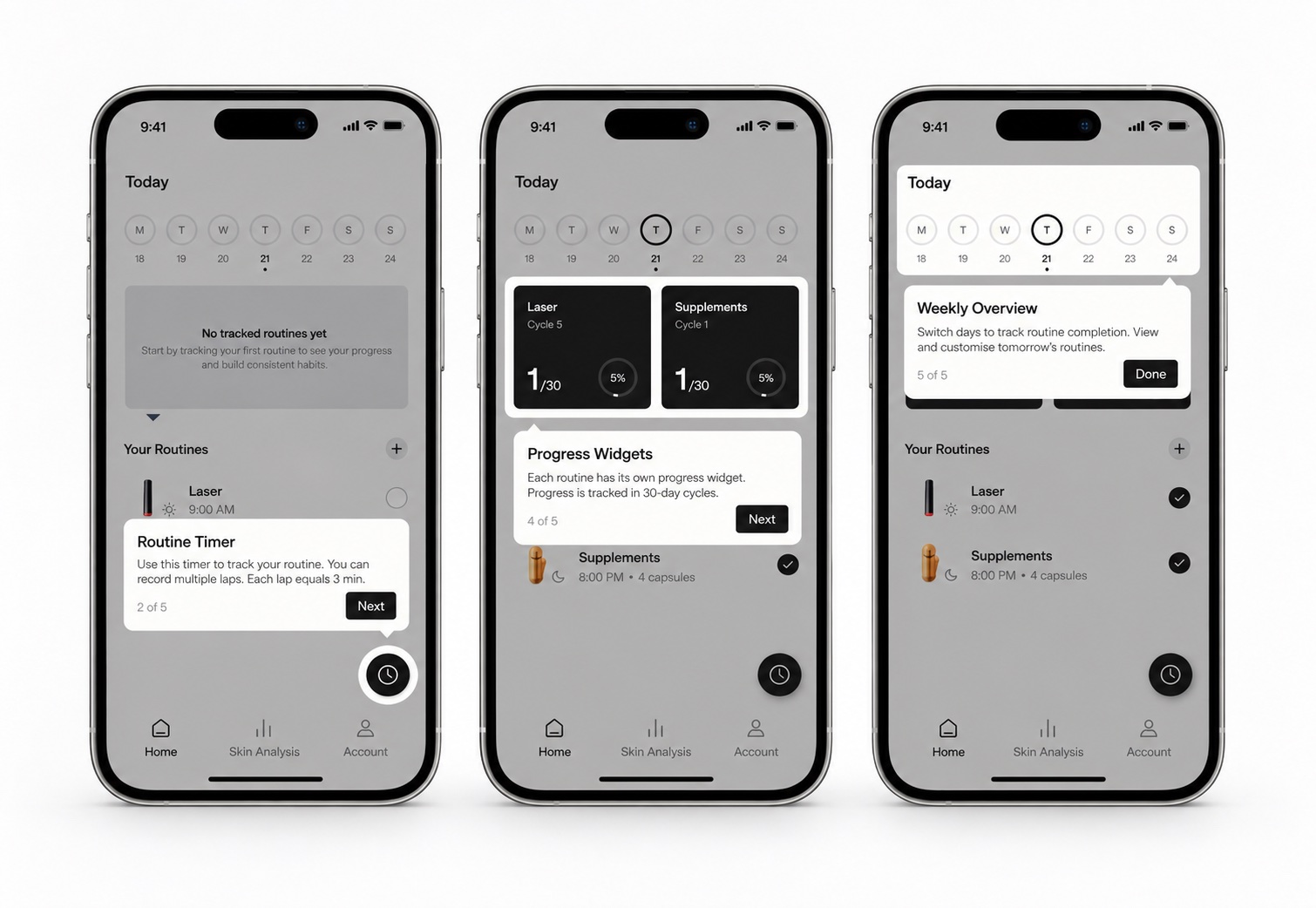
Hints on first open: short animations, not a tour.
10
Scan a friend
Problem
The app is hard to describe, because its value only lands after your own scan.
Hypothesis
If you can run a scan for someone else, the product sells itself.
Solution
Run a skin scan for someone else to show them the app: a growth loop designed into the product.
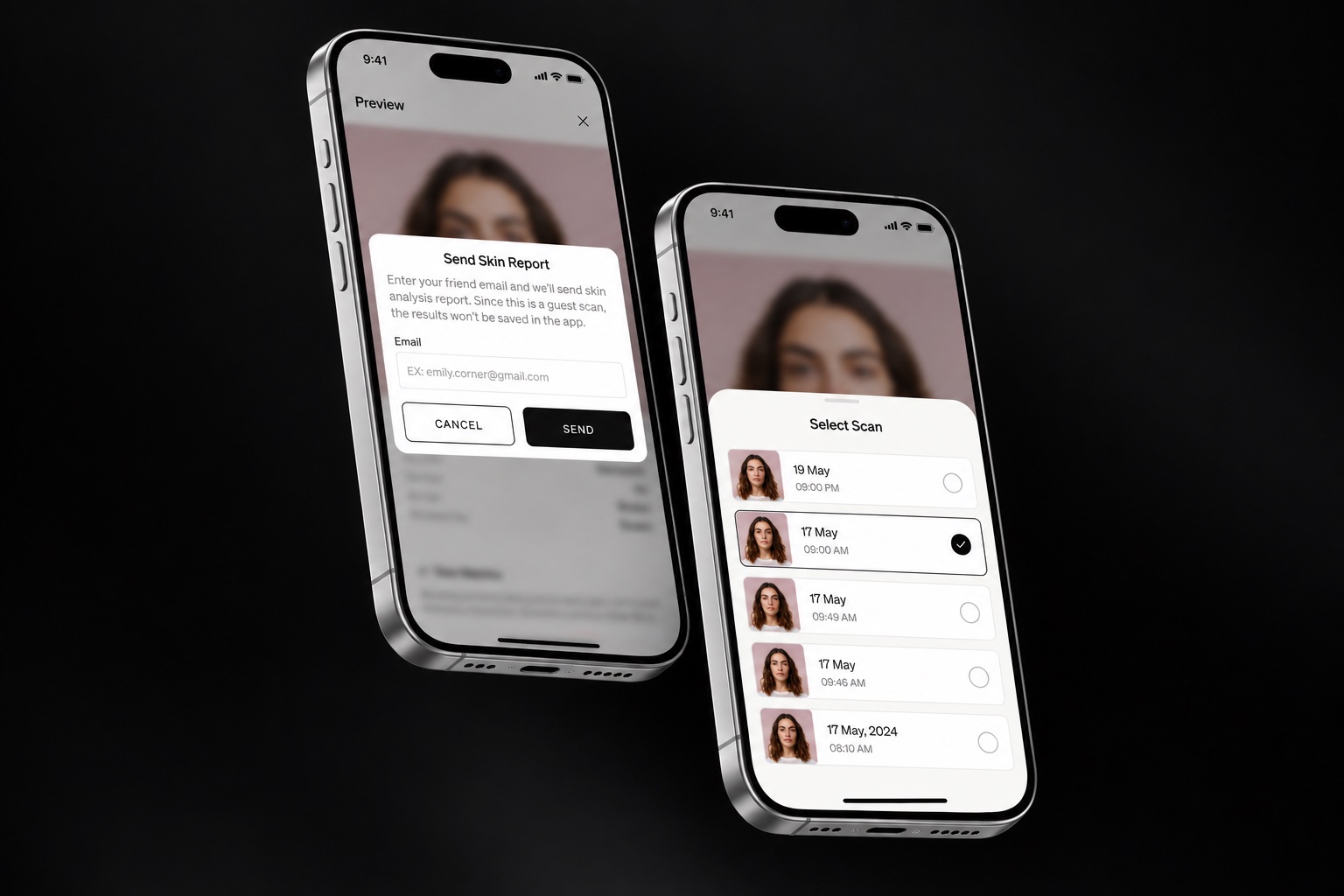
A growth loop: the report goes by email, nothing is stored.
Key decisions
01
AI insights as a rule system, not a black box
Problem
“Show AI tips” easily becomes noise that erodes trust, especially in wellness, where alarmist or random advice is harmful.
Hypothesis
Insights keep trust only if every card can explain why it appeared: a rule system, not a black box.
Solution
Wrote the product logic as explicit rules: max 3 insight cards a day (+2 on refresh, then a close icon); insights only when a clear signal exists, never without a reason; signal priority runs limiting factors → environmental → positive reinforcement; every card carries reason → skin impact → gentle recommendation; a calm, non-medical tone is codified. Built the full metric×factor matrix: which signals may explain which skin metrics, primary vs secondary.
Proof
The logic shipped as the spec the team builds against.
02
Apple Health at the moment of relevance
Problem
Typical apps force health-data connection during onboarding, before the value is clear, hurting both conversion and trust.
Hypothesis
Users connect health data more willingly once the value of personalization is already visible, not at onboarding.
Solution
Connection lives as a dedicated card that appears when personalization becomes valuable; the info screen explains exactly which data is used and why; granular per-signal selection respects control. The card is styled white to align with Apple Health's visual language.
Proof
Competitor analysis of onboarding patterns plus the shipped flow.
03
Fixing the check-in's scoring integrity
Problem
Quiz questions mixed directions (some best-first, some worst-first), scales varied from 3 to 6 options, and negative phrasing put the best answer last, so users mis-tapped and scores couldn't be averaged cleanly.
Solution
Standardized every question: positive phrasing, best-to-worst order, consistent option counts per category, each answer mapped to a named chart state (“Very much” → “Energised”) so language stays consistent from question to result. Reverse-scored items handled explicitly.
Proof
A before/after question set; clean state mapping (e.g. 1.0–2.3 → Strong) now drives the comparison charts.
Outcome
- AI insight rules: max 3 cards a day, each one reason → skin impact → advice
- A metric × factor matrix behind 8 skin metrics: which signal may explain which score
- Check-in restructured: 4 areas, one scale, every answer mapped to a named state
The insight system, the Apple Health flow, the check-in and the walkthroughs all shipped as the spec the team builds against. The AI layer explains itself.
Next case
Analytics for a digital-asset-management platform
The analytics layer of a digital-asset-management platform, designed from scratch (library, user and asset levels, reporting and export) and instrumented so the dashboards measure their own use.
View case