Enterprise
Analytics for campaign reporting
Campaign reporting for a B2B marketing-communications platform: email, web and video on one shared reporting language, with the wave as the unit of comparison.
- Client's country
- Canada
- Platform
- Web · B2B
- Team
- 6 people · engineering, BA, QA, PM
- Duration
- 6 months · 2023–2024
Overview
A B2B marketing-communications platform sends personalized campaigns in waves, and the teams running them needed to see how each wave performed.
What I owned
I designed the reporting layer for three channels: email, web and video.
Team
Part of the same engagement as the platform's asset analytics: a team of six, full cycle from research to design QA.
Context
01
Product
An omnichannel communications platform: personalized email, web and video campaigns delivered in waves for many customers, with plenty of campaign data and no clear place to read it.
02
Users
Teams that run campaigns across many customers and need to compare waves, channels and periods.
Starting point: large, multi-period campaign data. The job was to show it clearly, load it fast and make comparison easy.
Approach
Map
Service-blueprint workshop and personas: who reads the reports, and what for.
Structure
One selection model for every channel: customer → campaign → waves.
Predict
Edge cases designed up front: loading, empty and partial data.
Every channel reads the same way: select once, compare waves, export what you need.
Process
Core functionality
01
Customer, campaign & wave selection
Problem
Comparing two waves meant setting filters widget by widget.
Hypothesis
If the selection is made once in a customer → campaign → wave tree, every widget follows it.
Solution
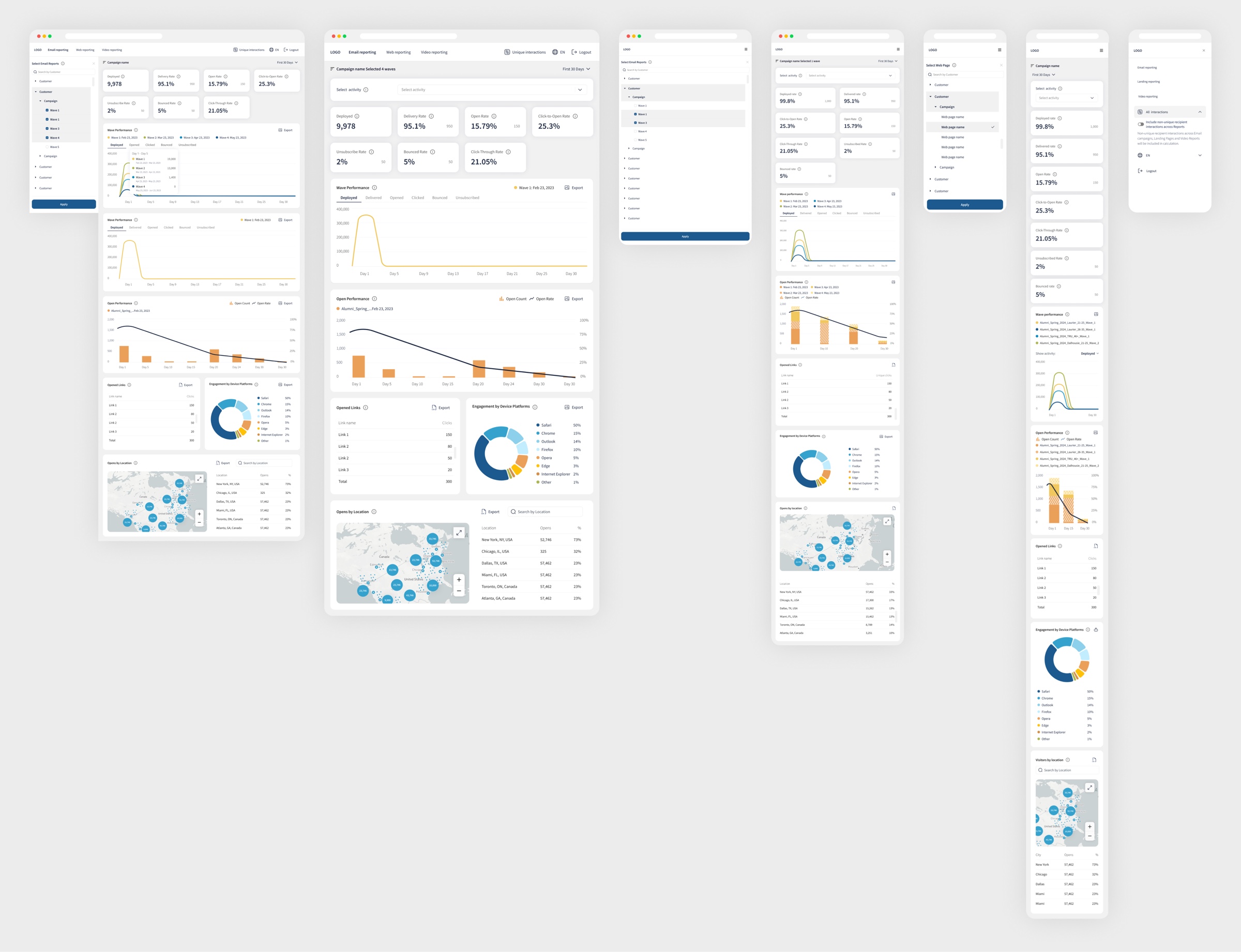
A searchable tree on the left: customers expand into campaigns, campaigns into waves. Tick the waves to compare, apply once, and every widget follows.
02
Email reporting
Problem
Email reported a handful of disconnected numbers, and it was unclear whether they meant volume or efficiency.
Hypothesis
If count and rate sit side by side, the team reads scale and quality in one glance.
Solution
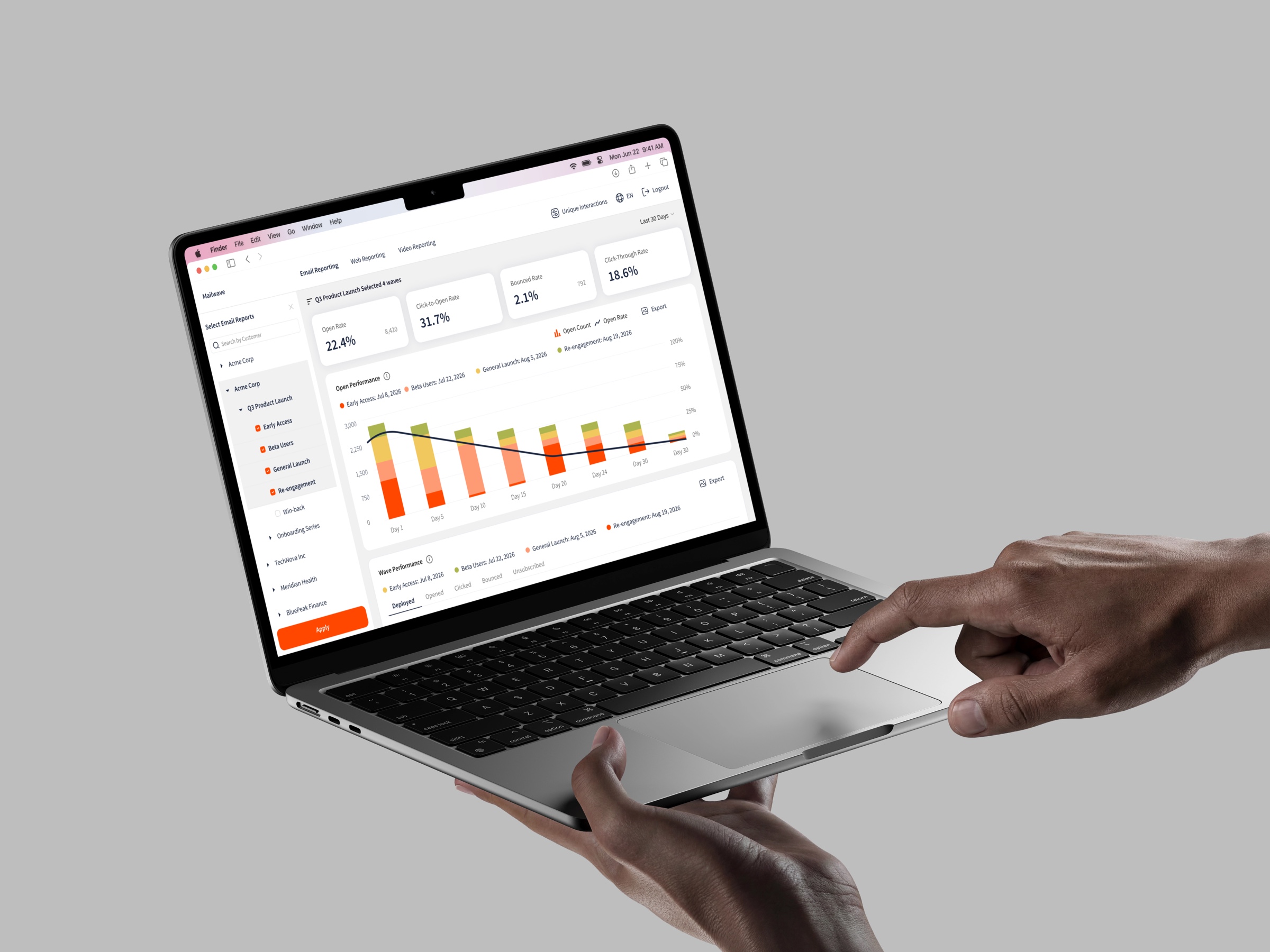
Deployed, delivery, open, click-to-open, unsubscribe, bounce and click-through rates up top. Below: open performance over the days after each send, opened links and engagement by device platform.

Count and rate on one chart: volume and efficiency at a glance.
03
Web reporting
Problem
Campaign pages were judged by visits, which said nothing about engagement.
Hypothesis
If visits, interactions and devices come together in one view, it becomes clear where the page loses people.
Solution
Page visits, interaction and bounce rates, views against interactions over time, link click-through and engagement by device, for any landing page in a campaign.
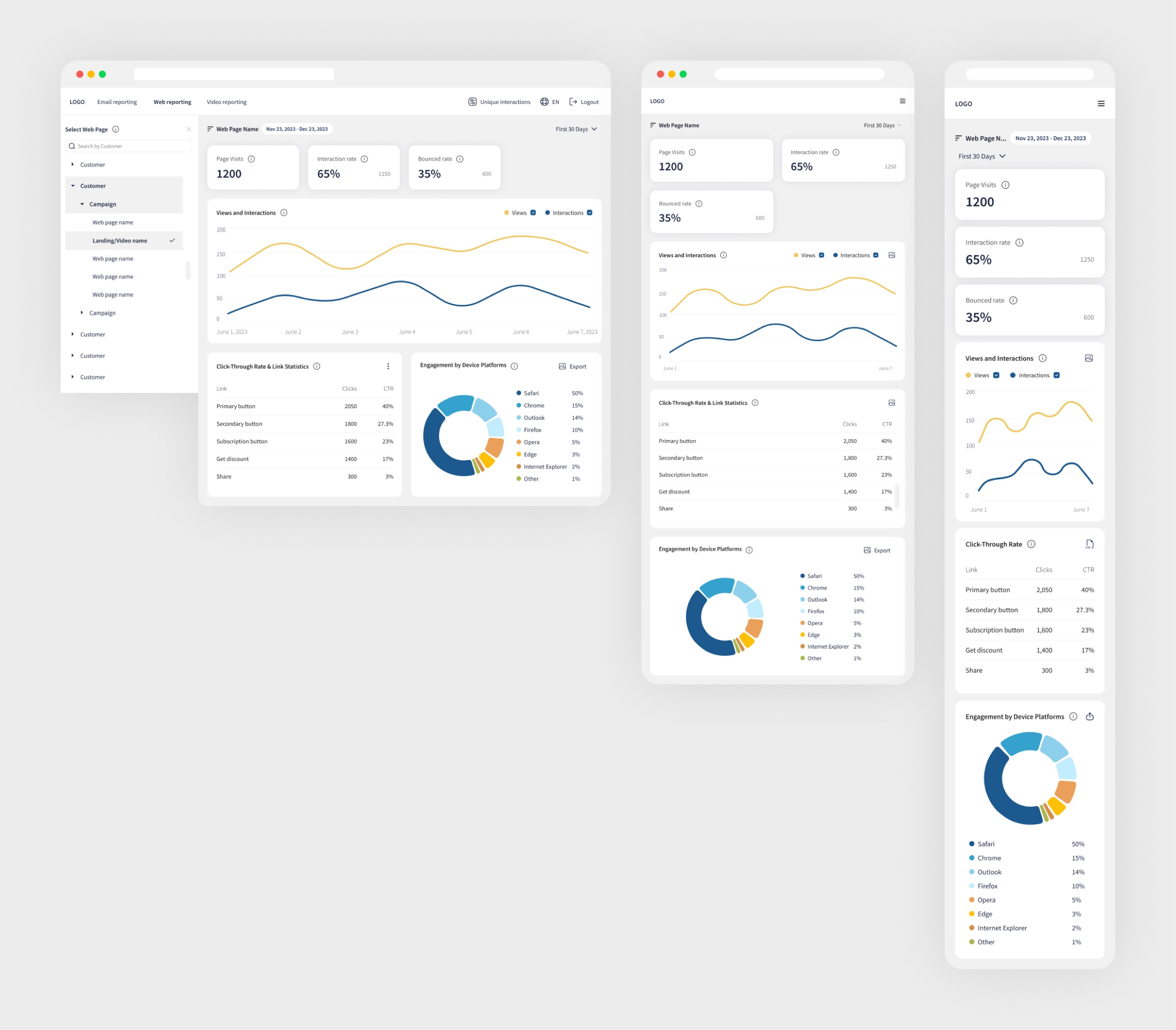
The same KPI cards as email: learn one report, read them all.
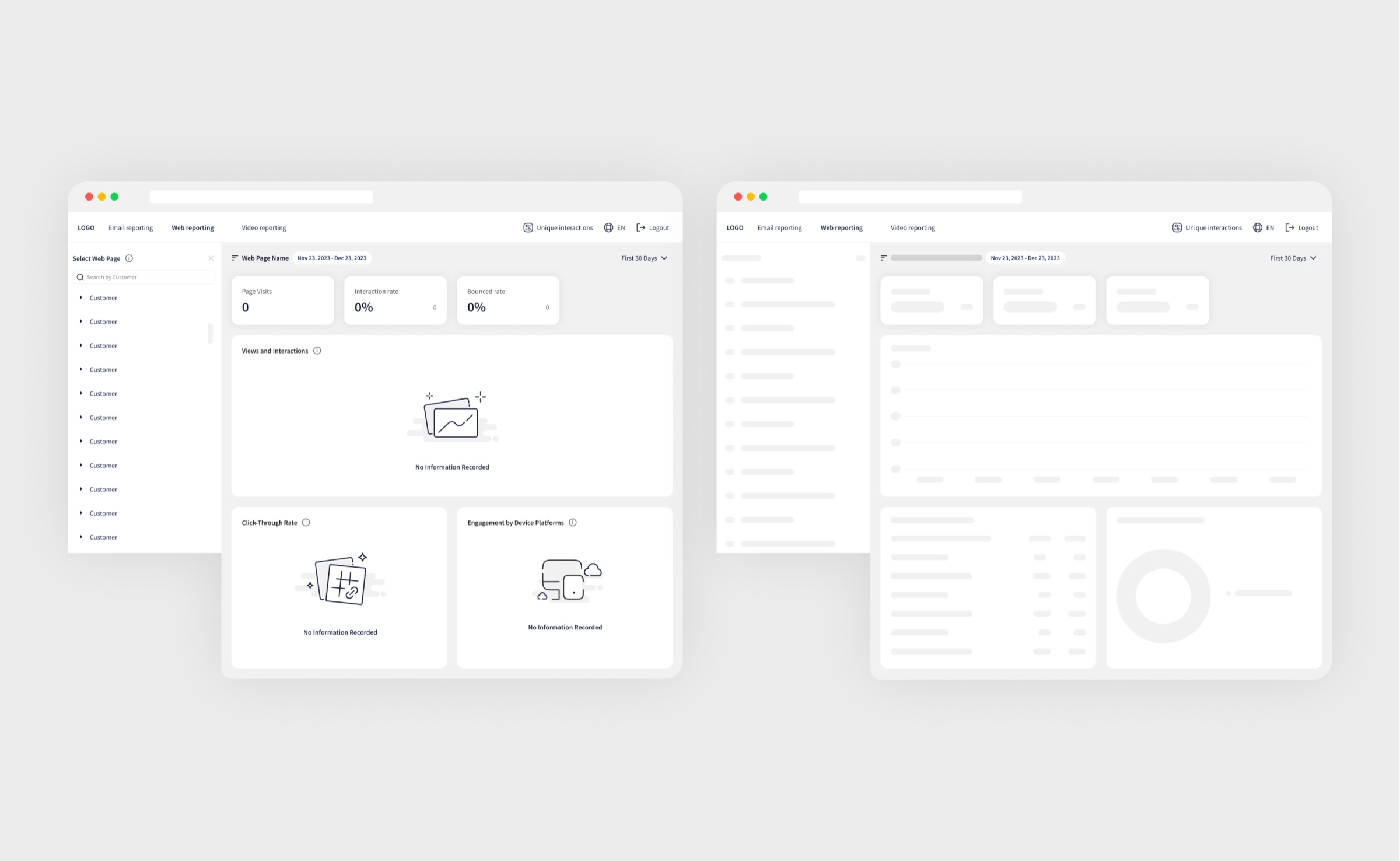
No data yet, and loading: both designed
04
Video reporting
Problem
Video was counted in views, when the question was how far people actually watch.
Hypothesis
If view progress is shown in 10% steps, the team sees exactly where the viewer leaves.
Solution
Published and total views, view performance over time and view progress: how far people actually watch, in 10% steps.
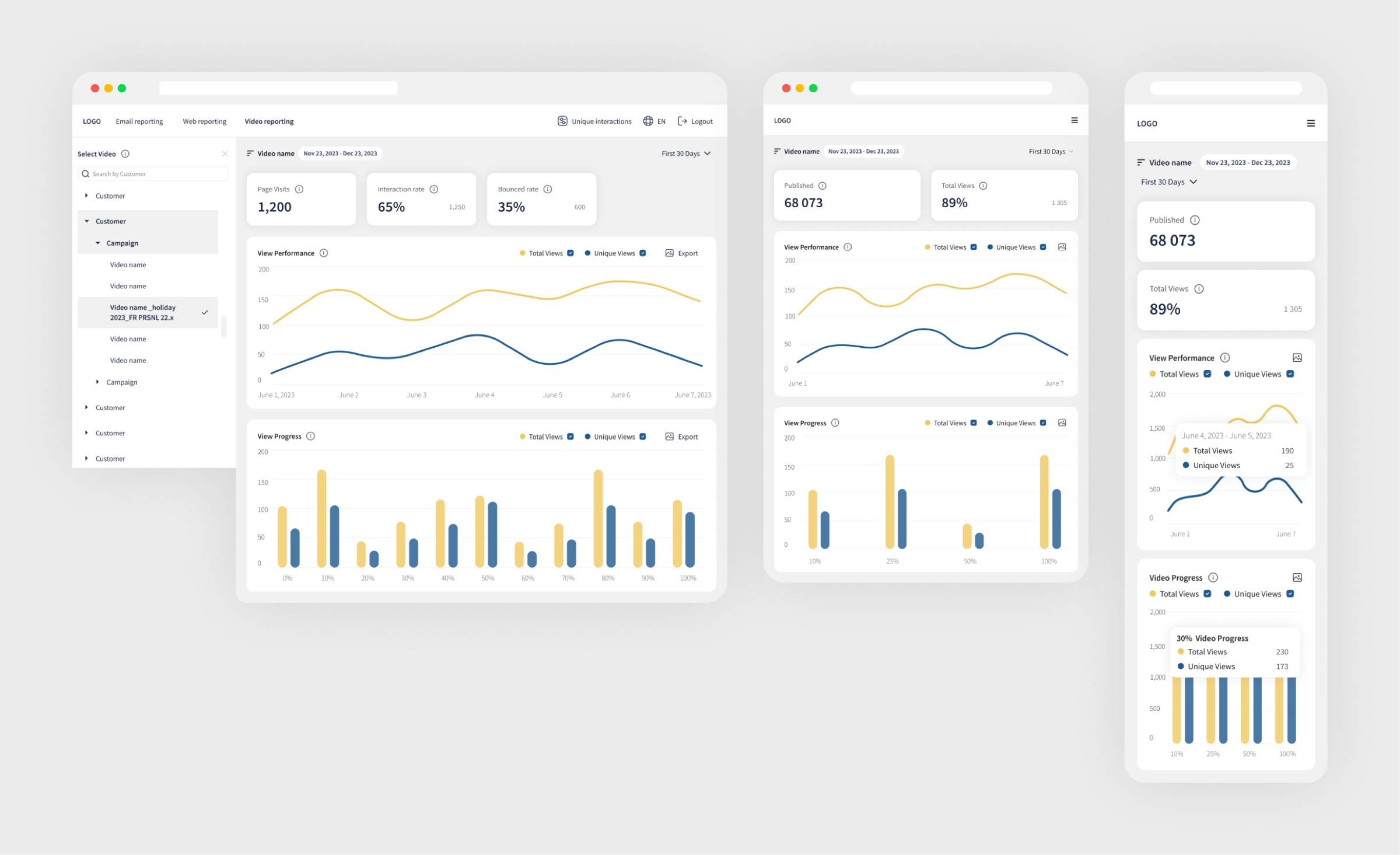
View progress in 10% steps: how far people really watch.
05
Time ranges & edge cases
Problem
Over long ranges the charts became unreadable, and missing data and future dates were drawn as if they were zero.
Hypothesis
If the chart's step follows the range and missing data is marked honestly, the report stops misleading.
Solution
The chart picks its step from the range: daily up to 30 days, then every 14, 32, 89 or 239 days. Zero data or future dates are drawn honestly, with no hover on days that haven't happened.
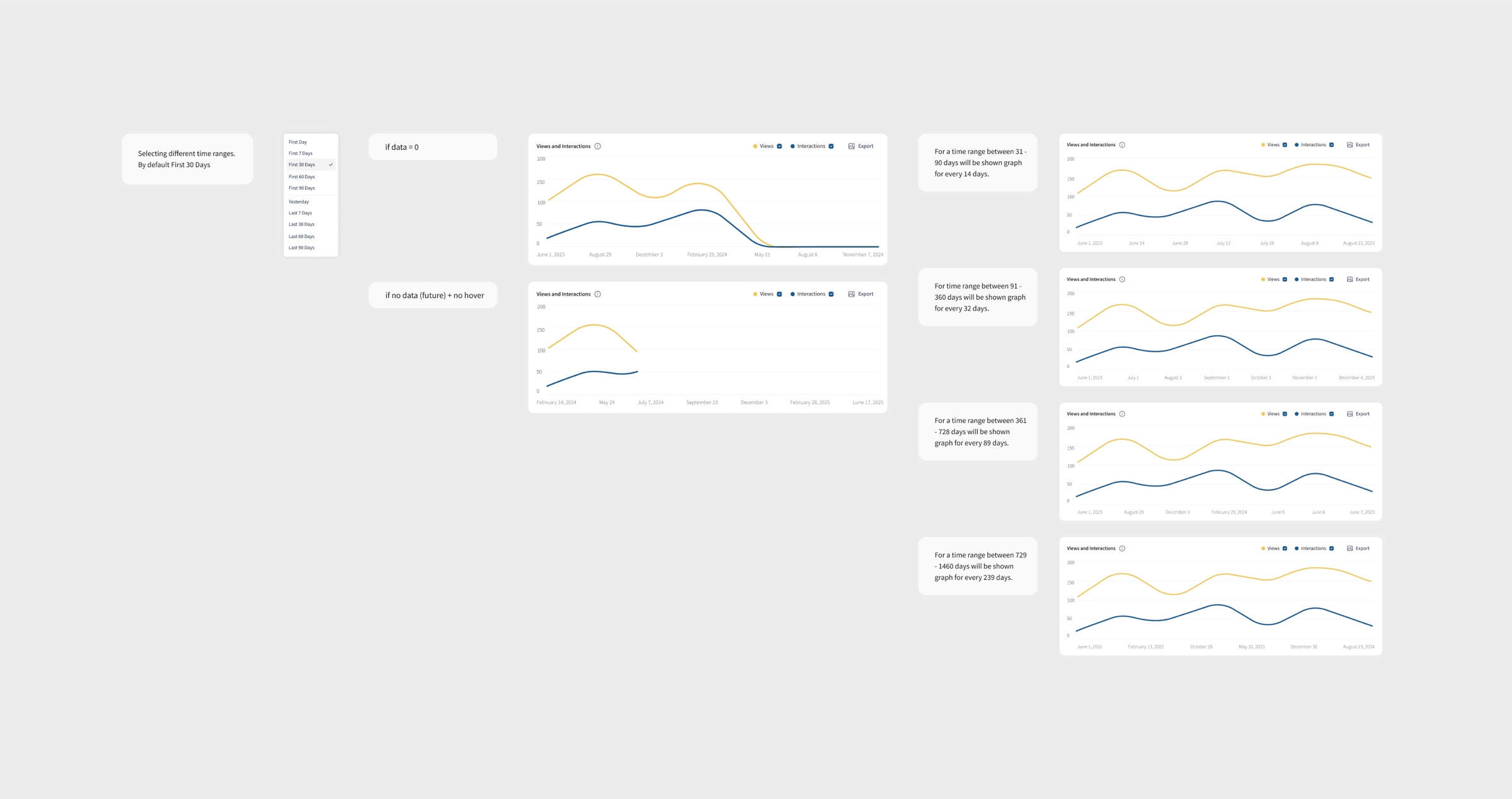
The step adapts to the range; future days get no hover.
06
User management
Problem
Client access was granted by hand, and the line between client and internal permissions was blurred.
Hypothesis
If roles split in two and granting takes a short two-step flow, access stops being a support request.
Solution
Basic users for customer employees, global admins for the internal team, and customer access granted in a short two-step flow.
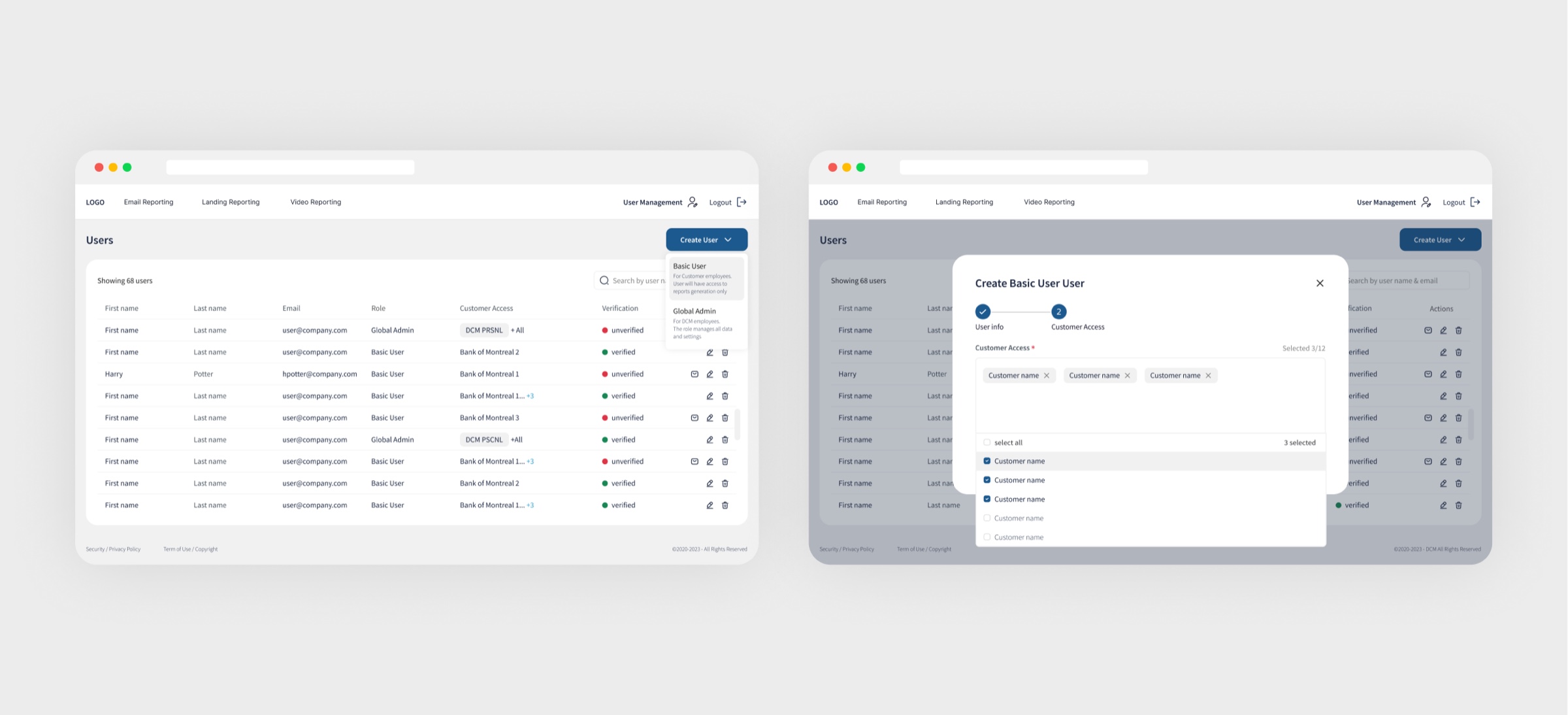
Two roles, two steps to give a customer access.
Key decisions
01
Waves as the unit of comparison
Problem
Campaigns go out in waves: a campaign total hides which send actually worked.
Solution
Waves are picked in the tree and keep one color across every chart, legend and tooltip, so the sends of one campaign sit side by side.
Proof
Comparison happens on one screen, with no switching between reports to line waves up.
02
Count and rate on one chart
Problem
Open count and open rate answer different questions; two separate charts make the eye jump between them.
Solution
Stacked open counts per wave with the open-rate line on a second axis, and a tooltip that breaks both down by wave.
Proof
Volume and efficiency read in a single glance, day by day after the send.
03
One reporting language across channels
Problem
Three channels risked becoming three different products to learn.
Solution
The same KPI cards, time presets, unique-interactions toggle and export on email, web and video: consistent metrics for every customer.
Proof
Learn one report, read all of them.
Outcome
- Three channels on one reporting language: email, web and video
- Waves picked once in the tree, colour-locked across every chart, legend and tooltip
- Open count and open rate on one chart: volume and efficiency in a single glance
Email, web and video reporting designed from scratch: learn one report, read them all.
Next case
Wi-Fi & eSIM app
A UK connectivity app with Wi-Fi plans and mobile eSIM in one product. I rebuilt a worn-out design system and cut the architecture down, and the whole thing ran as an AI SDLC: the app was built in code first, and Figma came after. Under 50 hours of my design time.
View case